As Amazon Associates, we earn from qualifying purchases. This means we may receive a small commission at no extra cost to you if you click through and make a purchase.

As an Amazon Associate we earn from qualifying purchases. Links on this page are affiliate links.
The HP Victus 15 RTX 3050 Core i5 Laptop handles entry-level 1080p gaming and everyday multitasking with its 12th Gen Intel Core i5-12500H processor, dedicated NVIDIA GeForce RTX 3050 graphics, and 1920 x 1080 FHD IPS display. If you want different hardware trade-offs, researching hp victus 15 rtx 3050 core i5 laptop alternatives helps you identify the best fit for your setup.
You might consider an alternative if you require more than 8 GB of RAM, more storage, or the productivity features of Windows 11 Pro. Other options offer larger 16-inch or 17.3-inch displays, higher refresh rates, lighter designs than this 5.05-pound frame, or alternative processor brands. The 6 alternatives in this guide were chosen because their specifications overlap with the original, letting you compare screen dimensions, graphics power, and overall portability side by side.
How Each Alternative Compares
HP Victus 15.6" Core i5 RTX 3050 Laptop
This model shares the core hardware of the original, pairing an Intel Core i5 processor with an NVIDIA GeForce RTX 3050 graphics card and 512 GB of SSD storage. What it adds is a 144Hz refresh rate on its 15.6-inch Full HD screen, which gives you smoother on-screen movement during fast gaming action than standard refresh panels. It weighs 5.06 pounds in a Mica Silver finish, matching the overall dimensions and 8 GB of RAM of the base unit. Choose this laptop if you want higher motion clarity for competitive play while keeping the identical internal specs.
HP Victus 15.6" RTX 3050 Gaming Laptop
This alternative upgrades your memory and operating system, providing 16 GB of RAM instead of 8 GB and running Windows 11 Pro rather than Windows 11 Home. It also provides a 144Hz Full HD screen and a 6GB version of the GeForce RTX 3050 GPU. What you give up is portability: at 7 pounds, it is notably heavier than the 5.05-pound original, and its blue chassis has larger overall dimensions. You should pick this model if you need Windows 11 Pro features and double the memory for heavier multitasking right out of the box.
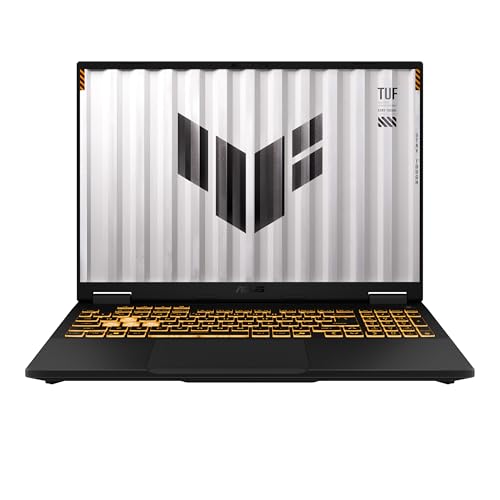
ASUS TUF Gaming F16 16-Inch Laptop
The ASUS TUF Gaming F16 steps up graphical capability with a 115W GeForce RTX 5050 GPU compared to the original laptop's RTX 3050. Its display is larger at 16 inches and offers a faster 165Hz refresh rate with 100% sRGB color coverage, improving visual detail. The chassis is also slightly lighter at 4.85 pounds and slimmer at 0.7 inches thick. Both share an Intel Core i5 CPU and Full HD resolution. Choose the TUF Gaming F16 if you want newer graphics hardware and a smoother, color-accurate display in a more compact profile.
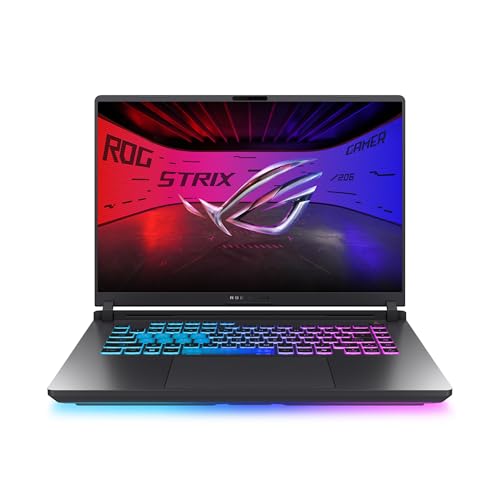
ASUS ROG Strix G16 165Hz RTX 5050 Gaming Laptop
This ASUS ROG Strix model brings a newer GeForce RTX 5050 graphics card and a larger 16-inch screen with a 165Hz refresh rate, outpacing the original Victus 15 and its RTX 3050. Both systems use an Intel Core i5 processor, Full HD resolution, and Windows 11 Home. The trade-off is bulk: the Strix G16 weighs 5.84 pounds and measures 1.55 inches thick, making it heavier and thicker than the 5.05-pound, 0.93-inch HP chassis. You should select this alternative if you prioritize modern GPU architecture and a larger display over everyday portability.
Dell 15 Core Ultra 7 Laptop
The Dell 15 shifts focus away from gaming hardware toward portable productivity. It replaces the 12th Gen Intel Core i5 with an Intel Core Ultra 7 processor while dropping the chassis weight down to 3.67 pounds and thickness to 0.74 inches, making it substantially lighter than the 5.05-pound Victus 15. However, you give up the dedicated NVIDIA GeForce RTX 3050 graphics card entirely, as the Dell relies on integrated capabilities for its 15.6-inch Full HD display. Pick the Dell 15 if you need a lightweight daily machine for general work instead of gaming performance.
HP OmniBook 17.3-Inch Touchscreen Laptop
The HP OmniBook swaps dedicated gaming hardware for a large workspace, featuring a 17.3-inch Full HD touchscreen compared to the original model's non-touch display. It is powered by an AMD Ryzen 5 processor rather than an Intel Core i5. Despite having a wider 15.7-inch footprint, it is thinner at 0.65 inches and lighter at 4.43 pounds than the 5.05-pound Victus. What you surrender is the dedicated NVIDIA GeForce RTX 3050 graphics card. Choose the OmniBook if you prioritize touchscreen navigation and extra screen space for business, study, or home tasks.
| # | Product | Best for | Price |
|---|---|---|---|
| 1 | HP Victus 15 RTX 3050 Core i5 Laptop Best overall | entry-level 1080p gaming and everyday multitasking | |
| 2 | HP Victus 15.6" Core i5 RTX 3050 Laptop Best budget | entry-level 1080p gaming and daily tasks | |
| 3 | HP Victus 15.6" RTX 3050 Gaming Laptop Best windows 11 pro | gamers who need Windows 11 Pro features | |
| 4 | ASUS TUF Gaming F16 16-Inch Laptop Best premium | high-refresh gaming with current-generation graphics hardware | |
| 5 | ASUS ROG Strix G16 165Hz RTX 5050 Gaming Laptop Also great | Next-generation entry gaming with easy upgradeability | |
| 6 | Dell 15 Core Ultra 7 Laptop Also great | everyday multitasking and portable productivity | |
| 7 | HP OmniBook 17.3-Inch Touchscreen Laptop Best 17.3" | multitasking with a large touchscreen display |

HP Victus 15 RTX 3050 Core i5 Laptop
Best for: entry-level 1080p gaming and everyday multitasking
- Processor
- 12th Gen Intel Core i5-12500H
- RAM Capacity
- 8 GB
- Storage Capacity
- 512 GB SSD
- Graphics Card
- NVIDIA GeForce RTX 3050
- Display Resolution
- 1920 x 1080
- Operating System
- Windows 11 Home
You get an entry gaming laptop built around an Intel Core i5-12500H processor and dedicated NVIDIA GeForce RTX 3050 graphics. It includes a 15-inch 1080p IPS display, 8 GB of RAM, and a 512 GB solid-state drive. This configuration suits you if you run standard 1080p games and need a Windows 11 setup for everyday computing tasks.
- Intel Core i5-12500H processor
- Dedicated NVIDIA GeForce RTX 3050 graphics
- Full HD 1920 x 1080 IPS display with 178-degree viewing angles
- 512 GB solid-state drive storage
- 8 GB system memory limit out of the box
- Carrying weight of 5.05 pounds
- You need dedicated RTX 3050 graphics for 1080p gaming.
- You want an Intel Core i5-12500H processor for daily home productivity.
- You require more than 8 GB of preinstalled memory.
- You need a portable machine that weighs under five pounds.
Verdict: HP Victus 15 Core i5 RTX 3050 fits users who want a dedicated entry-level graphics card paired with a 12th Gen Intel Core processor for standard 1080p tasks.

HP Victus 15.6" Core i5 RTX 3050 Laptop
Best for: entry-level 1080p gaming and daily tasks
- Processor
- Intel Core i5-13420H
- RAM Capacity
- 8GB
- Storage Capacity
- 512GB SSD
- Screen Size
- 15.6"
- Graphics Card
- NVIDIA GeForce RTX 3050
- Display Resolution
- 1920 x 1080
This HP laptop pairs an Intel Core i5-13420H processor with an NVIDIA GeForce RTX 3050 6GB graphics card. You get a 15.6-inch 1080p display with a 144Hz refresh rate for fluid motion. With 8GB of DDR4 memory and a 512GB solid-state drive, it suits you if you need light gaming and daily productivity.
- Intel Core i5-13420H processor with 8 cores and up to 4.6 GHz
- 15.6-inch Full HD IPS panel with a 144Hz refresh rate
- NVIDIA GeForce RTX 3050 with 6GB GDDR6 dedicated memory
- Fast port selection including 10Gbps USB-C and HDMI 2.1
- 8GB DDR4 RAM limits headroom for heavy multitasking
- 250-nit brightness and 45% NTSC gamut offer modest screen vibrancy
- 512GB solid-state drive fills quickly with multiple modern titles
- You play casual or esports games at 1080p and want a 144Hz refresh rate.
- You want an 8-core processor for homework, browsing, and light content creation.
- You use modern peripherals that benefit from 10Gbps USB ports and HDMI 2.1.
- You run heavy background workloads that require 16GB of RAM or more.
- You need a color-accurate or bright display for professional photo editing.
- You plan to store an extensive library of large games on a single drive.
Verdict: HP Victus 15 Core i5 RTX 3050 Laptop gives entry-level gamers and students dedicated graphics and a smooth 144Hz screen for 1080p play and daily coursework.

HP Victus 15.6" RTX 3050 Gaming Laptop
Best for: gamers who need Windows 11 Pro features
- Processor
- Intel Core i5-12450H
- RAM Capacity
- 16GB
- Storage Capacity
- 512GB SSD
- Screen Size
- 15.6"
- Graphics Card
- NVIDIA GeForce RTX 3050
- Refresh Rate
- 144Hz
This HP Victus configuration pairs an Intel Core i5-12450H processor with an NVIDIA GeForce RTX 3050 6GB graphics card. You get a 15.6-inch Full HD 144Hz display, 16GB of DDR4 memory, and Windows 11 Pro preinstalled. It fits you if you need dedicated graphics alongside professional operating system management features for work and gaming.
- Preinstalled Windows 11 Pro operating system
- 144Hz Full HD IPS anti-glare display
- NVIDIA GeForce RTX 3050 with 6GB GDDR6 memory
- 16GB DDR4 system memory
- 512GB SSD offers less onboard storage than 1TB options
- Uses DDR4 memory instead of DDR5
- Listed weight is 7 pounds
- You require Windows 11 Pro for network management features.
- You play fast-paced titles on a 144Hz refresh rate panel.
- You want 16GB of RAM included out of the box.
- You need more than 512GB of internal storage immediately.
- You want a lighter machine than 7 pounds.
Verdict: HP Victus 15.6" RTX 3050 Windows 11 Pro Laptop delivers dedicated graphics performance alongside Windows 11 Pro tools. Its 144Hz panel and 6GB RTX 3050 GPU suit users balancing productivity with mainstream gaming.
ASUS TUF Gaming F16 16-Inch Laptop
Best for: high-refresh gaming with current-generation graphics hardware
- Processor
- Intel Core i5 13450HX
- RAM Capacity
- 16GB
- Storage Capacity
- 512GB SSD
- Screen Size
- 16-inch
- Graphics Card
- NVIDIA GeForce RTX 5050
- Refresh Rate
- 165Hz
This 16-inch gaming laptop upgrades your graphics to an NVIDIA GeForce RTX 5050 with a 115W maximum TGP. You get an Intel Core i5-13450HX processor paired with 16GB of RAM and a 512GB SSD. Its 165Hz display features a 16:10 aspect ratio and 100% sRGB coverage. It suits you if you want modern GPU power and fast screen refresh rates.
- NVIDIA GeForce RTX 5050 GPU with 115W maximum TGP
- 16-inch 165Hz 16:10 display with 100% sRGB and Adaptive-Sync
- Intel Core i5-13450HX processor with 16GB RAM
- MIL-STD-810H military-grade durability standard
- 512GB SSD capacity limits local game installation space
- Overall weight measures 4.85 pounds
- You want an RTX 5050 graphics card running at up to 115W.
- You need a fast 165Hz display with 100% sRGB color space support.
- You prefer a taller 16:10 aspect ratio screen for extra display area.
- You need at least 1TB of internal storage without upgrading.
- You require a portable machine under four pounds.
Verdict: ASUS TUF Gaming F16 RTX 5050 Laptop targets players who prioritize a 115W RTX 5050 GPU, 165Hz refresh rate, and 100% sRGB color over high internal drive capacity.
ASUS ROG Strix G16 165Hz RTX 5050 Gaming Laptop
Best for: Next-generation entry gaming with easy upgradeability
- Processor
- Intel Core i5 Processor 14450HX
- RAM Capacity
- 16GB
- Storage Capacity
- 512GB PCIe Gen 4 SSD
- Screen Size
- 16"
- Graphics Card
- NVIDIA GeForce RTX 5050 Laptop GPU
- Refresh Rate
- 165Hz
This gaming laptop serves as a modern alternative to entry-level systems. You get an Intel Core i5-14450HX processor paired with an NVIDIA GeForce RTX 5050 GPU, alongside a 16-inch 165Hz FHD+ display. The 16:10 aspect ratio gives you extra vertical workspace. It suits you if you want newer graphics hardware, high refresh rates, and tool-free chassis access.
- NVIDIA GeForce RTX 5050 GPU with MUX Switch and Advanced Optimus
- 16-inch 165Hz FHD+ display with 16:10 aspect ratio and Dolby Vision
- Tool-free latch design for memory and storage upgrades
- Triple-fan cooling system with an end-to-end vapor chamber
- 512GB SSD provides less base storage than 1TB models
- Heavier chassis weighing 5.84 pounds
- You want an updated RTX 50-series GPU paired with a 165Hz screen.
- You plan to swap or add components without using screwdrivers.
- You prefer a 16:10 display ratio for gaming and productivity.
- You need a lightweight laptop for frequent travel.
- You require 1TB or more of built-in storage out of the box.
Verdict: ASUS ROG Strix G16 RTX 5050 Laptop fits players who want modern graphics architecture and a fast 16-inch screen, provided you do not mind carrying a heavier chassis.

Dell 15 Core Ultra 7 Laptop
Best for: everyday multitasking and portable productivity
- Processor
- Intel Core Ultra 7 255U
- RAM Capacity
- 16GB DDR5
- Storage Capacity
- 1TB SSD
- Screen Size
- 15.6-inch
- Graphics Card
- Intel Graphics
- Refresh Rate
- 60Hz
This Dell 15 is a general-purpose laptop running Windows 11 Home. Unlike dedicated gaming laptops, it pairs an Intel Core Ultra 7 255U processor with integrated Intel Graphics and a standard 60Hz Full HD panel. With 16GB of DDR5 RAM, a 1TB SSD, and a 3.67-pound chassis, it suits you if you prioritize everyday productivity and portability over high-refresh gaming.
- Intel Core Ultra 7 255U processor with 16GB DDR5 RAM
- 1TB SSD storage capacity
- Lightweight 3.67-pound build measuring 0.74 inches thin
- Integrated Intel Graphics instead of a dedicated GPU
- Display refresh rate caps at 60Hz
- You want a 3.67-pound 15.6-inch laptop for general home and office tasks.
- You need 16GB DDR5 memory and 1TB of solid-state storage.
- You require a discrete graphics card for demanding 3D games.
- You want a high-refresh display faster than 60Hz.
Verdict: Dell 15 Intel Core Ultra 7 Laptop delivers solid processing power and generous storage in a portable 3.67-pound chassis. It fits you if you want a reliable everyday productivity machine rather than a dedicated high-refresh gaming rig.

HP OmniBook 17.3-Inch Touchscreen Laptop
Best for: multitasking with a large touchscreen display
- Processor
- AMD Ryzen 5 130
- RAM Capacity
- 16GB DDR5
- Storage Capacity
- 1TB SSD
- Screen Size
- 17.3"
- Graphics Card
- AMD Radeon 660M
- Display Resolution
- 1920×1080
This 17.3-inch laptop trades dedicated gaming graphics for a larger touchscreen display. It runs on an AMD Ryzen 5 130 processor with integrated AMD Radeon 660M graphics, 16GB of DDR5 memory, and a 1TB SSD. You get expanded screen space and multi-monitor output, making it suitable for productivity tasks, office work, and everyday multitasking rather than heavy 3D gaming.
- Spacious 17.3-inch Full HD touchscreen display with 300 nits brightness
- Generous 1TB PCIe SSD storage paired with 16GB DDR5 memory
- Supports up to three external 4K displays via HDMI 2.1 and USB-C
- Integrated AMD Radeon 660M graphics instead of a dedicated GPU
- Standard refresh rate display unlike the 144Hz panels on gaming models
- You need a large 17.3-inch touchscreen for multitasking and documents.
- You want 1TB of built-in SSD storage and 16GB of fast DDR5 memory.
- You plan to connect multiple external monitors via HDMI 2.1 and USB-C.
- You need a dedicated graphics card like an RTX 3050 for heavy 3D gaming.
- You want a compact, highly portable chassis for frequent travel.
Verdict: HP OmniBook 3 17.3" Touchscreen Laptop suits productivity-focused users who want a spacious touchscreen and large SSD storage instead of a dedicated gaming GPU.
Specifications side by side
| Spec | HP Victus 15 RTX 3050 Core i5 Laptop | HP Victus 15.6" Core i5 RTX 3050 Laptop | HP Victus 15.6" RTX 3050 Gaming Laptop | ASUS TUF Gaming F16 16-Inch Laptop | ASUS ROG Strix G16 165Hz RTX 5050 Gaming Laptop | Dell 15 Core Ultra 7 Laptop | HP OmniBook 17.3-Inch Touchscreen Laptop |
|---|---|---|---|---|---|---|---|
| Processor | 12th Gen Intel Core i5-12500H | Intel Core i5-13420H | Intel Core i5-12450H | Intel Core i5 13450HX | Intel Core i5 Processor 14450HX | Intel Core Ultra 7 255U | AMD Ryzen 5 130 |
| RAM Capacity | 8 GB | 8GB | 16GB | 16GB | 16GB | 16GB DDR5 | 16GB DDR5 |
| Storage Capacity | 512 GB SSD | 512GB SSD | 512GB SSD | 512GB SSD | 512GB PCIe Gen 4 SSD | 1TB SSD | 1TB SSD |
| Screen Size | – | 15.6" | 15.6" | 16-inch | 16" | 15.6-inch | 17.3" |
| Graphics Card | NVIDIA GeForce RTX 3050 | NVIDIA GeForce RTX 3050 | NVIDIA GeForce RTX 3050 | NVIDIA GeForce RTX 5050 | NVIDIA GeForce RTX 5050 Laptop GPU | Intel Graphics | AMD Radeon 660M |
| Display Resolution | 1920 x 1080 | 1920 x 1080 | – | – | – | – | 1920×1080 |
| Refresh Rate | – | 144Hz | 144Hz | 165Hz | 165Hz | 60Hz | – |
| Operating System | Windows 11 Home | Windows 11 Home | Windows 11 Pro | Windows 11 Home | Windows 11 Home | Windows 11 Home | Windows 11 Home |
| Intended Use | Home, Gaming | Home, Gaming | Gaming | Home, Gaming | Home, Gaming | Home | Business, Home, Students |
| Resolution | Full HD | Full HD | Full HD | Full HD | Full HD | Full HD | Full HD |
| Dimensions | 10 × 0.93 × 14.1 inches | 14.1 × 10 × 0.93 inches | 19 × 12 × 3 inches | 13.9 × 10.6 × 0.7 inches | 13.9 × 1.21 × 1.55 inches | 9.27 × 14.1 × 0.74 inches | 15.7 × 10.1 × 0.65 inches |
| Weight | 5.05 pounds | 5.06 pounds | 7 pounds | 4.85 pounds | 5.84 pounds | 3.67 pounds | 4.43 pounds |
| Color | Silver | Mica Silver | Blue | Jaeger Gray | Eclipse Gray | Carbon Black | Glacier silver |
| Model | 15-fa0025nr | 15-FA200 | hp laptop | FX608JH-SS53 | G615JHR-DS53 | LD15260-7625BLK-PUS | OmniBook 3 |
| Size | – | 8GB-512GB | 16GB | 512GB SSD | 0.70 | – | 15.6 inches | – |
Frequently asked questions
Which alternative offers Windows 11 Pro out of the box?
The HP Victus 15.6" RTX 3050 Gaming Laptop includes Windows 11 Pro directly from the factory. Most competing options run Windows 11 Home instead. This model also provides 16GB of system memory, a 512GB solid-state drive, and a dedicated 6GB RTX 3050 graphics card to support both business tasks and gaming workloads.
Which laptop is the lightest alternative for portable productivity?
The Dell 15 Core Ultra 7 Laptop is the lightest option on this list at 3.67 pounds. By comparison, gaming laptops like the HP Victus weigh over 5 pounds. It features an Intel Core Ultra 7 processor and a 15.6-inch Full HD screen, prioritizing everyday carry and office tasks over dedicated discrete gaming graphics.
Do any alternatives provide higher refresh rates than 144Hz?
Yes, both the ASUS TUF Gaming F16 and ASUS ROG Strix G16 feature 165Hz Full HD displays. That is faster than the 144Hz panels found on select HP Victus models. Both ASUS machines pair this high-refresh screen with a 16-inch display size and dedicated RTX 5050 graphics hardware for smoother fast-motion rendering.
Is there a touchscreen alternative with a larger screen?
The HP OmniBook 17.3-Inch Touchscreen Laptop provides both a larger display and touch functionality. It features a 17.3-inch Full HD touchscreen powered by an AMD Ryzen 5 processor. Unlike the gaming-oriented Victus models, it is built for student and business productivity rather than fast graphics processing, weighing 4.43 pounds.
Which options come equipped with newer RTX 5050 graphics?
The ASUS TUF Gaming F16 and ASUS ROG Strix G16 both feature NVIDIA GeForce RTX 5050 graphics. The TUF Gaming F16 specifies a 115W RTX 5050 GPU alongside 100% sRGB color support. These units provide an updated alternative if you want newer graphics silicon than the GeForce RTX 3050 found on HP Victus models.
What display sizes are available among these alternatives?
You can choose between 15.6-inch, 16-inch, and 17.3-inch screen sizes across these 6 alternatives. The HP Victus and Dell models use 15.6-inch displays. The ASUS TUF Gaming and ROG Strix configurations step up to 16-inch panels, while the HP OmniBook offers the largest screen at 17.3 inches with touch support.
See also
See the current listing on Amazon
Specifications on this page are read from the product listing. Scores are out of 10, based on listed specifications and buyer feedback.