As Amazon Associates, we earn from qualifying purchases. This means we may receive a small commission at no extra cost to you if you click through and make a purchase.

As an Amazon Associate we earn from qualifying purchases. Links on this page are affiliate links.
Finding the right computer requires balancing processing power, memory, and physical dimensions. This laptop buying guide helps you choose the hardware configuration that fits your daily workflow and travel requirements. After reading, you will be able to decide whether you need an ultraportable aluminum chassis under three pounds or a larger display for an expanded workspace. The guide walks you through key decisions regarding processor performance, unified memory versus standard RAM, internal storage capacity, and overall device weight.
To narrow your search, our 8 picks for 2026 evaluate options ranging from compact Apple notebooks to full-size Windows systems with Intel Core Ultra processors. Every laptop on this list was chosen strictly from its published specifications, matching verified dimensions, screen sizes, and hardware profiles directly to distinct user needs.
Key Specifications to Compare Before Buying
Processor Type and Generation
The central processor dictates calculation speed and software execution. Laptops in this category feature chips such as the Apple M1, M2, M5, A18 Pro, or Intel Core Ultra 7. Processors like the M5 deliver high processing throughput for demanding graphics and video tasks. In contrast, standard chips like the A18 Pro handle everyday web browsing and basic school tasks efficiently. Choosing an advanced chip provides headroom for complex workloads, but base-tier processors consume less power during light productivity sessions. If you only manage basic office documents, entry chips prevent paying for unused performance. For example, the Apple MacBook Pro 14.2-inch M5 provides high-end processing power for creative workloads.
Look for
- Intel Core Ultra 7 for general Windows productivity software.
- Apple M5 or A18 Pro processors for macOS workflows.
Screen Size and Display Area
Screen diagonal defines your available workspace and overall device dimensions. Compact panels measuring 13 to 13.6 inches maximize portability and fit tight travel bags. Larger displays measuring 15.3 to 15.6 inches offer extra visual room for side-by-side windows and Full HD resolution viewing. However, a larger screen increases the laptop width to over 14 inches and adds carrying mass. Compact screens save space on commuter trays, but they limit timeline viewing in editing tools. Selecting a display requires balancing mobile convenience against the comfort of expanded interface elements. For example, the Apple MacBook Air 15-inch M5 provides a broad 15.3-inch screen for multitasking.
Look for
- 13-inch to 13.6-inch screens for compact commuter travel.
- 15-inch to 15.6-inch displays for viewing multi-window layouts.
System Memory Capacity
System memory dictates how many applications can run concurrently without slowdowns. Base configurations offer 8GB of memory, which supports standard web browsing and text editing. Stepping up to 16GB of unified memory or DDR5 RAM allows smooth multitasking across heavy browser sessions and background utilities. Demanding professional workflows benefit from 24GB of unified memory, which prevents memory paging during intensive media production. The trade-off centers on workflow demands: 8GB suits basic users but restricts future software headroom, while 24GB provides high bandwidth that light productivity workers do not utilize. Matching memory to your application workload prevents operational bottlenecks. For example, the Apple MacBook Air 13.6-inch M5 includes 24GB of unified memory.
Look for
- 16GB to 24GB unified memory for running demanding background applications.
- 8GB memory configurations for handling essential web browsing.
Internal Solid-State Storage
Internal solid-state drive capacity determines how many local files, operating system files, and software programs you can store offline. A 256GB SSD accommodates essential productivity applications and standard documents. Expanding to a 512GB or 1TB SSD gives you local room for large photo archives, project media, and software installations without external drives. The trade-off involves local capacity against physical simplicity. A 256GB drive fills quickly once you install multiple modern productivity suites, requiring external hard drives or cloud storage. Conversely, a 1TB drive offers offline freedom, though users working purely inside cloud browsers may leave that storage unused. For example, the Dell 15 Core Ultra 7 Laptop features a 1TB SSD.
Look for
- 512GB to 1TB SSD space for storing offline media libraries.
- 256GB SSD capacity for basic document editing and web apps.
Operating System Environment
The operating system determines software compatibility and overall desktop interface layout. Models on the market run either macOS or Windows 11 Home. macOS integrates directly with Apple hardware ecosystems, offering unified memory access and long battery life for mobile work. Windows 11 Home supports broad business productivity tools, varied peripheral devices, and home software management. The trade-off lies in ecosystem integration versus enterprise flexibility. A Windows environment suits users accustomed to PC office workflows, while macOS suits buyers requiring specific platform tools or Apple silicon battery efficiency. You must ensure your required software runs natively on the chosen platform. For example, the Apple MacBook Neo 13-Inch A18 Pro runs macOS.
Look for
- macOS for integrated Apple silicon power management.
- Windows 11 Home for broad business software support.
Chassis Weight and Portability
Chassis dimensions and weight dictate how easily you can transport your laptop daily. Portable models weigh between 2.7 and 2.8 pounds with thickness profiles as thin as 0.44 to 0.5 inches, sliding easily into commuter bags. Larger 15-inch models weigh between 3.33 and 3.67 pounds, requiring sturdier bags and larger desk surfaces. Ultra-slim profiles save shoulder strain during daily commutes, but they often leave less physical space for internal cooling or broad port selections. Heavier chassis provide room for larger display panels and broader internal components at the expense of travel comfort. Balancing physical footprint against screen area ensures your laptop matches your daily mobility routine. For example, the Apple MacBook Air 13-inch M2 maintains a light 2.7-pound weight.
Look for
- 2.7 to 2.8 pounds for lightweight backpack travel.
- Sub-0.5-inch thickness profiles for compact laptop sleeves.
Primary Laptop Categories and Form Factors
Compact 13-Inch Ultraportable Laptops
Compact 13-inch ultraportable laptops emphasize lightweight portability and small physical footprints. These models weigh under three pounds and feature chassis heights around half an inch. You benefit from a 16-hour battery life and easy transport in standard backpacks. They suit students and daily commuters who prioritize mobility for basic computing and document tasks. An example is the Apple MacBook Neo 13-Inch A18 Pro with its 2.71-pound aluminum body. The main trade-off is screen size. A 13-inch display provides limited viewing area for running multiple application windows side by side without an external monitor.
Mid-Size 15-Inch Everyday Laptops
Mid-size 15-inch laptops balance larger display areas with full desktop productivity. These designs provide screens measuring between 15.3 and 15.6 inches, allowing you to arrange two standard application windows side by side. They suit everyday productivity workers and home users who manage standard documents, large file libraries, and multi-tab browsing. The Dell 15 Core Ultra 7 Laptop exemplifies this category with its 15.6-inch Full HD display and 1TB SSD storage. The key trade-off is bulk. At 3.67 pounds and over 14 inches wide, these machines take up more desk room and add noticeable carry weight to travel bags.
High-Performance Creative Pro Laptops
High-performance creative laptops prioritize visual display quality and heavy processing throughput. These machines feature high-brightness HDR screens and fast processors to handle detailed graphical assets and video files. You get stable system speed for demanding media workflows and professional rendering. They suit creators working with graphics and video who require maximum visual fidelity and 1TB of onboard storage. The Apple MacBook Pro 14.2-inch M5 illustrates this design with its specialized display panel and M5 processor. The primary trade-off is added weight and chassis thickness. At 3.42 pounds and 0.61 inches thick, it is noticeably heavier than slim ultraportable alternatives.
Laptop Buying Mistakes to Avoid
Overlooking display brightness ratings and screen finish
Displays with 250 nits of brightness often appear washed out under bright indoor lights or direct sun. A glossy finish also produces harsh reflections. Choose a screen rated at 300 nits or higher for indoor productivity. Select a matte anti-glare panel if you frequently work near windows.
Assuming every USB-C port supports charging and video
Not all USB Type-C ports offer identical functionality. Some ports only handle basic data transfer and cannot charge your battery or connect an external display. Check the technical specifications for USB Power Delivery and DisplayPort alternate mode support to ensure compatibility with your monitors and chargers.
Buying soldered internal storage without checking expansion options
Many slim chassis designs solder the solid-state drive directly to the motherboard. You cannot remove or expand this internal storage later. Check the spec sheet for an open M.2 PCIe slot. If the drive is non-upgradeable, choose a base capacity that accommodates your long-term storage requirements.
Ignoring keyboard layout and trackpad sensor technology
Key travel distance and mechanism determine typing accuracy. Shallow key travel under one millimeter can cause fatigue during long sessions. Mechanical click pads can also feel stiff along top edges. Verify key travel specifications and look for glass precision touchpads with haptic feedback for consistent input response across the entire surface.
| # | Product | Best for | Price |
|---|---|---|---|
| 1 | Apple MacBook Neo 13-Inch A18 Pro | students needing a compact, portable macOS laptop | |
| 2 | Apple MacBook Air 13.6-inch M5 | heavy multitasking on a compact travel laptop | |
| 3 | Apple MacBook Air 15-inch M5 | everyday multitaskers needing a larger 15-inch screen | |
| 4 | Apple MacBook Pro 14.2-inch M5 | creative professionals needing high-brightness HDR displays | |
| 5 | Apple MacBook Air 13.3-Inch M1 16GB | Everyday multitaskers needing 16GB unified memory | |
| 6 | Apple MacBook Air 13-inch M2 | lightweight travel and everyday productivity tasks | |
| 7 | Apple MacBook Air 13-inch M1 512GB | everyday computing with 512GB local storage | |
| 8 | Dell 15 Core Ultra 7 Laptop | everyday Windows productivity needing large local storage |

Apple MacBook Neo 13-Inch A18 Pro
Best for: students needing a compact, portable macOS laptop
- Processor
- A18 Pro
- RAM Capacity
- 8GB
- Storage Capacity
- 512GB SSD
- Screen Size
- 13-inch
- Dimensions
- 8.12 × 11.7 × 0.5 inches
- Weight
- 2.71 pounds
The Apple MacBook Neo is an ultra-portable 13-inch laptop running macOS on an A18 Pro processor. It features 8GB of RAM, a 512GB solid-state drive, and up to 16 hours of battery life. At 2.71 pounds and 0.5 inches thick, this model suits you if you need a lightweight machine for note-taking, coursework, and daily productivity.
- Weighs 2.71 pounds with a slim 0.5-inch aluminum chassis
- Liquid Retina display supports 1 billion colors
- Battery runtime reaches up to 16 hours
- Equipped with a 1080p FaceTime HD camera and dual-mic array
- Memory is fixed at 8GB RAM
- Screen size is limited to 13 inches
- You prioritize portability with a 2.71-pound carrying weight.
- You need up to 16 hours of battery runtime for study sessions.
- You rely on macOS and Apple Intelligence for everyday assignments.
- You require more than 8GB of RAM for memory-heavy applications.
- You want a screen larger than 13 inches for multitasking.
Verdict: Apple MacBook Neo 13-Inch A18 Pro Laptop provides dependable everyday performance and a 16-hour battery for students and commuters who manage basic workloads. Its compact aluminum chassis fits easily into a backpack for daily travel.
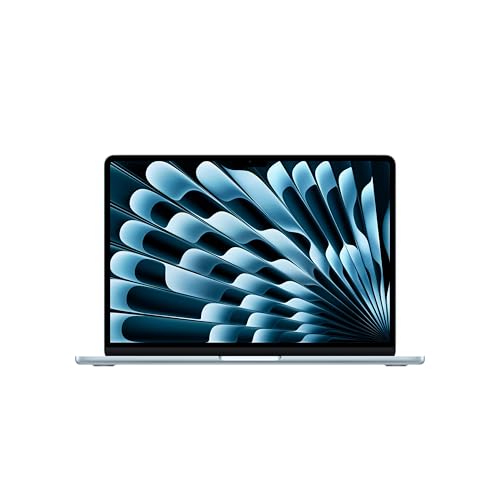
Apple MacBook Air 13.6-inch M5
Best for: heavy multitasking on a compact travel laptop
- Processor
- Apple M5
- RAM Capacity
- 24GB
- Storage Capacity
- 1TB SSD
- Screen Size
- 13.6-inch
- Dimensions
- 8.46 × 0.44 × 12 inches
- Weight
- 2.71 pounds
This Apple MacBook Air pairs the M5 processor with 24GB of unified memory and a 1TB SSD. You get a 13.6-inch Liquid Retina display, two Thunderbolt 4 ports, and up to 18 hours of battery life inside a 2.71-pound chassis. It suits you if you need portable processing power for multitasking and local AI tasks without excess bulk.
- Apple M5 chip with 24GB unified memory and 1TB SSD
- Up to 18 hours of battery life
- Wi-Fi 7 and Bluetooth 6 support via Apple N1 chip
- Lightweight 2.71-pound body measuring 0.44 inches thin
- Port selection limited to two Thunderbolt 4 ports
- Display size restricted to 13.6 inches
- You need 24GB of memory and 1TB of storage in an ultraportable 2.71-pound frame.
- You require all-day battery life rated up to 18 hours away from a charger.
- You want support for up to two external monitors with Wi-Fi 7 connectivity.
- You need a display larger than 13.6 inches for your daily workflow.
- You require more than two Thunderbolt 4 ports without using an external adapter.
Verdict: Apple MacBook Air 13-inch M5 24GB RAM 1TB SSD gives high-bandwidth memory and responsive storage to users who run heavy workflows on the move.

Apple MacBook Air 15-inch M5
Best for: everyday multitaskers needing a larger 15-inch screen
- Processor
- Apple M5
- RAM Capacity
- 16GB
- Storage Capacity
- 512GB SSD
- Screen Size
- 15.3-inch
- Dimensions
- 9.35 × 0.45 × 13.4 inches
- Weight
- 3.33 pounds
This Apple MacBook Air pairs a 15.3-inch Liquid Retina display with the Apple M5 processor and 16GB of unified memory. You get up to 18 hours of battery life, a 512GB SSD, and support for two external displays. At 3.33 pounds, it suits you if you need a larger screen workspace without jumping to heavier pro-tier laptops.
- 15.3-inch Liquid Retina display supporting 1 billion colors
- Up to 18 hours of battery life
- Wi-Fi 7 and Bluetooth 6 support via Apple N1 chip
- Six-speaker sound system with Spatial Audio and Dolby Atmos
- Limited to two Thunderbolt 4 ports for peripheral connections
- Weighs 3.33 pounds, making it heavier than 13-inch alternatives
- You want a 15.3-inch display alongside 18 hours of battery life.
- You connect up to two external displays at your workstation.
- You need more than 512GB of built-in storage in the base setup.
- You prefer a lighter sub-three-pound laptop for frequent travel.
Verdict: Apple MacBook Air 15-inch M5 suits users who require a broad 15.3-inch display, modern Wi-Fi 7 connectivity, and all-day battery life for multitasking.

Apple MacBook Pro 14.2-inch M5
Best for: creative professionals needing high-brightness HDR displays
- Processor
- Apple M5
- RAM Capacity
- 16GB
- Storage Capacity
- 1TB SSD
- Screen Size
- 14.2-inch
- Graphics Card
- 10-core GPU
- Dimensions
- 12.3 × 8.71 × 0.61 inches
This Apple laptop features an M5 processor with a 10-core CPU and 10-core GPU, paired with 16GB of unified memory and a 1TB SSD. You get a 14.2-inch Liquid Retina XDR screen reaching up to 1600 nits peak brightness. It suits you if you need sustained visual performance, high storage capacity, and advanced media processing on macOS.
- Liquid Retina XDR display with 1600 nits peak and 1000 nits sustained brightness
- Apple M5 chip with 10-core CPU and 10-core GPU
- 1TB SSD internal storage paired with 16GB unified memory
- Six-speaker sound system with Spatial Audio and 12MP Center Stage camera
- Weighs 3.42 pounds, making it heavier than 13-inch Air models
- Base memory is limited to 16GB on this configuration
- You need a bright 14.2-inch XDR screen capable of 1600 nits peak brightness for HDR work.
- You require 1TB of built-in SSD storage alongside a 10-core GPU.
- You prioritize carrying the lightest machine and prefer sub-3-pound laptops.
- You need more than 16GB of unified memory for heavier workloads.
Verdict: Apple 14-inch MacBook Pro M5 provides high-end display brightness and 1TB of onboard storage for creators working with graphics and video. It delivers full M5 processing power in a 3.42-pound chassis.

Apple MacBook Air 13.3-Inch M1 16GB
Best for: Everyday multitaskers needing 16GB unified memory
- Processor
- Apple M1
- RAM Capacity
- 16GB
- Storage Capacity
- 256GB SSD
- Screen Size
- 13.3"
- Graphics Card
- 7-Core GPU
- Display Resolution
- 2560 x 1600
You get a 13.3-inch Retina display at 2560 x 1600 resolution paired with an Apple M1 chip and 16GB of unified memory. The setup includes 256GB of solid-state storage, two Thunderbolt 3 ports, and Wi-Fi 6 connectivity. This configuration suits you if you need sustained multitasking capability in a lightweight 2.8-pound macOS laptop without stepping up to larger screen sizes.
- 16GB unified memory for heavy multitasking
- High-resolution 2560 x 1600 Retina IPS display
- Weighs 2.8 pounds with a slim 0.63-inch thickness
- Two Thunderbolt 3 / USB 4 ports
- 256GB storage capacity limits local file space
- Bluetooth 5.0 standard rather than modern revisions
- M1 configuration features a 7-core GPU
- You need 16GB of RAM for memory-intensive daily workflows.
- You want a sharp 2560 x 1600 screen in a compact 13.3-inch form factor.
- You prioritize portability with a 2.8-pound aluminum chassis.
- You need more than 256GB of built-in storage for offline archives.
- You require a larger workspace than a 13.3-inch screen provides.
Verdict: Apple MacBook Air 13.3-inch M1 16GB gives memory-focused users doubled system RAM over standard base configurations within a compact 2.8-pound design.
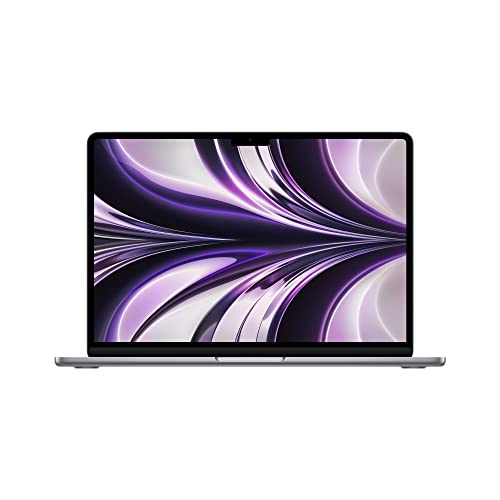
Apple MacBook Air 13-inch M2
Best for: lightweight travel and everyday productivity tasks
- Processor
- M2
- RAM Capacity
- 8GB
- Storage Capacity
- 512GB SSD
- Screen Size
- 13-inch
- Dimensions
- 12.8 × 0.63 × 9 inches
- Weight
- 2.7 pounds
This renewed Apple MacBook Air pairs the 8-core Apple M2 processor with a 512GB solid-state drive and 8GB of unified memory. Weighing 2.7 pounds with a 13.6-inch display, it gives you a compact footprint for travel. It suits you if you need lightweight everyday computing, document drafting, and web tasks with solid local storage capacity.
- Apple M2 processor with 8-core CPU
- 512GB SSD storage capacity
- Lightweight 2.7-pound build
- 13.6-inch display size
- 8GB unified memory limits heavy multitasking compared to 16GB options
- Renewed unit rather than factory-new hardware
- You need a portable 2.7-pound laptop for general travel and work.
- You want 512GB of onboard storage for local files and applications.
- You run heavy workloads requiring more than 8GB of unified memory.
- You require brand-new factory-sealed hardware.
Verdict: Apple MacBook Air 13-inch M2 delivers balanced everyday performance and 512GB of storage for mobile workers who prioritize a 2.7-pound carry weight over maximum RAM capacity.
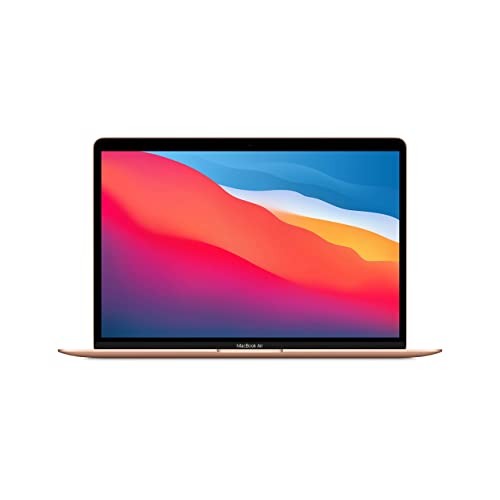
Apple MacBook Air 13-inch M1 512GB
Best for: everyday computing with 512GB local storage
- Processor
- Apple M1
- RAM Capacity
- 8GB
- Storage Capacity
- 512GB SSD
- Screen Size
- 13-inch
- Dimensions
- 13 × 7 × 11 inches
- Weight
- 3.75 pounds
This renewed 13-inch Apple MacBook Air features the Apple M1 processor paired with 8GB of RAM and a 512GB SSD. Its 13-inch display fits a compact chassis weighing 3.75 pounds. You get enough storage for local libraries without carrying external drives. It suits you if you handle standard daily computing tasks.
- Apple M1 processor
- 512GB SSD storage capacity
- 13-inch screen size
- 8GB RAM limits multitasking headroom compared to 16GB options
- 3.75-pound weight
- You need 512GB of built-in storage for daily files.
- You want an Apple M1 system for regular web and office use.
- You require 16GB of RAM for intensive applications.
- You prefer a display larger than 13 inches.
Verdict: Apple MacBook Air 13-inch M1 512GB delivers reliable processing power and ample onboard storage for users focused on standard document and browsing workflows.

Dell 15 Core Ultra 7 Laptop
Best for: everyday Windows productivity needing large local storage
- Processor
- Intel Core Ultra 7 255U
- RAM Capacity
- 16GB
- Storage Capacity
- 1TB SSD
- Screen Size
- 15.6-inch
- Graphics Card
- Intel Graphics
- Refresh Rate
- 60Hz
This Dell laptop pairs an Intel Core Ultra 7 255U processor with 16GB of DDR5 memory and a 1TB solid-state drive. You get a 15.6-inch Full HD non-touch display running at 60Hz, alongside integrated Intel Graphics and Windows 11 Home. At 3.67 pounds, it suits you if you need ample local storage and Windows productivity on a larger screen.
- 1TB SSD storage capacity
- 16GB DDR5 RAM
- Intel Core Ultra 7 255U processor
- 15.6-inch Full HD display
- Standard 60Hz display refresh rate
- Integrated Intel Graphics without a dedicated GPU
- Non-touch screen panel
- You need 1TB of built-in SSD storage for local files.
- You prefer a 15.6-inch display with Windows 11 Home.
- You want 16GB of DDR5 RAM for everyday multitasking.
- You require a dedicated graphics card for heavy 3D rendering or gaming.
- You want a touchscreen or a display refresh rate higher than 60Hz.
Verdict: Dell 15 15.6-inch Intel Core Ultra 7 Laptop gives home users 1TB of SSD storage and 16GB of DDR5 memory inside a 3.67-pound Windows 11 system. It suits everyday productivity workers who prioritize generous capacity and a full-size screen over dedicated 3D graphics.
Specifications side by side
| Spec | Apple MacBook Neo 13-Inch A18 Pro | Apple MacBook Air 13.6-inch M5 | Apple MacBook Air 15-inch M5 | Apple MacBook Pro 14.2-inch M5 | Apple MacBook Air 13.3-Inch M1 16GB | Apple MacBook Air 13-inch M2 | Apple MacBook Air 13-inch M1 512GB | Dell 15 Core Ultra 7 Laptop |
|---|---|---|---|---|---|---|---|---|
| Processor | A18 Pro | Apple M5 | Apple M5 | Apple M5 | Apple M1 | M2 | Apple M1 | Intel Core Ultra 7 255U |
| RAM Capacity | 8GB | 24GB | 16GB | 16GB | 16GB | 8GB | 8GB | 16GB |
| Storage Capacity | 512GB SSD | 1TB SSD | 512GB SSD | 1TB SSD | 256GB SSD | 512GB SSD | 512GB SSD | 1TB SSD |
| Screen Size | 13-inch | 13.6-inch | 15.3-inch | 14.2-inch | 13.3" | 13-inch | 13-inch | 15.6-inch |
| Graphics Card | – | – | – | 10-core GPU | 7-Core GPU | – | – | Intel Graphics |
| Display Resolution | – | – | – | – | 2560 x 1600 | – | – | – |
| Refresh Rate | – | – | – | – | – | – | – | 60Hz |
| Operating System | – | – | – | – | – | – | – | Windows 11 Home |
| Intended Use | – | – | – | – | – | – | – | Home |
| Resolution | – | – | – | – | – | – | – | Full HD |
| Dimensions | 8.12 × 11.7 × 0.5 inches | 8.46 × 0.44 × 12 inches | 9.35 × 0.45 × 13.4 inches | 12.3 × 8.71 × 0.61 inches | 12 × 8.36 × 0.63 inches | 12.8 × 0.63 × 9 inches | 13 × 7 × 11 inches | 9.27 × 14.1 × 0.74 inches |
| Weight | 2.71 pounds | 2.71 pounds | 3.33 pounds | 3.42 pounds | 2.8 pounds | 2.7 pounds | 3.75 pounds | 3.67 pounds |
| Size | 512GB | 24GB Unified Memory | 1TB SSD Storage | 16GB Unified Memory | 512GB SSD Storage | 16GB Memory | 1TB | 256GB | 8GB | 512GB | 15.6 inches |
| Color | Blush | Sky Blue | Midnight | Space Black | Space Gray | Space Gray | Gold | Carbon Black |
| Model | MHFJ4LL/A | MDHK4LL/A | MDVH4LL/A | MDE14LL/A | MGN63LL/A16 | MLXW3LL/A | MGN63LL/A | LD15260-7625BLK-PUS |
Frequently asked questions
How much unified memory or RAM do you need for daily multitasking?
16GB of system memory is ideal for smooth multitasking across multiple applications. While 8GB supports basic web tasks, 24GB handles intense workloads. For example, the Apple MacBook Air 13-inch M5 offers 24GB of unified memory for demanding tasks, whereas the Dell 15 provides 16GB of DDR5 memory for standard productivity.
What screen size works best for mobile productivity versus desk use?
A 13-inch screen offers the best balance of visibility and portability for travel. If you work primarily at a desk, larger displays give you extra screen space without an external monitor. For example, the Apple MacBook Air 15-inch M5 features a 15.3-inch display, while the Dell 15 includes a 15.6-inch Full HD panel.
How much solid-state drive storage should you choose for a laptop?
A 512GB solid-state drive provides sufficient local capacity for everyday documents, software installations, and photo libraries. Base capacities of 256GB, like on the Apple MacBook Air 13.3-Inch M1, require active file management. For large media archives or creative projects, 1TB options like the Apple MacBook Pro 14.2-inch M5 offer long-term storage headroom.
How heavy should a laptop be for daily commuting and travel?
A travel laptop should weigh under 3 pounds to remain comfortable in a backpack. The Apple MacBook Air 13-inch M2 weighs 2.7 pounds, making it easy to carry all day. In contrast, larger models like the Dell 15 weigh 3.67 pounds, trading lower carrying weight for a broader 15.6-inch viewing area.
What operating system should you select between Windows and macOS?
Your decision depends on your software environment and workflow needs. Windows 11 Home on the Dell 15 Core Ultra 7 Laptop supports broad business and productivity tools. Apple models run macOS, providing hardware integration that enables extended untethered runtimes, such as the 16-hour battery on the Apple MacBook Neo 13-Inch A18 Pro.
Why does Wi-Fi 7 support matter on modern laptops?
Wi-Fi 7 matters if your network router supports the newest wireless standard, providing lower latency and higher transfer speeds. The Apple MacBook Air 15-inch M5 includes Wi-Fi 7 connectivity for faster local network data handling. If your router uses older protocols, the laptop still connects normally but operates at standard Wi-Fi network rates.
See also
See the current listing on Amazon
Specifications on this page are read from the product listing. Scores are out of 10, based on listed specifications and buyer feedback.


