As Amazon Associates, we earn from qualifying purchases. This means we may receive a small commission at no extra cost to you if you click through and make a purchase.

As an Amazon Associate we earn from qualifying purchases. Links on this page are affiliate links.
Finding the best ASUS 16 laptops requires balancing panel resolution, graphics power, and overall chassis weight. We evaluated 15 models based on the specifications published on their listings. The ASUS ROG Strix G16 RTX 5070 Laptop earns the top spot because its 64GB of RAM and 4TB SSD deliver exceptional memory and built-in storage capacity.
This guide helps you decide whether you need high-refresh gaming hardware or a lightweight build for everyday productivity and office work.
Match Graphics Hardware to Your Workload
You must decide whether your daily work requires dedicated graphics processing. Gaming models such as the TUF Gaming F16 include discrete GeForce RTX hardware for gaming. If you only run office software, general models like the Vivobook 16 provide a WUXGA display and lighter carry weights under five pounds.
| # | Product | Best for | Price |
|---|---|---|---|
| 1 | ASUS ROG Strix G16 RTX 5070 Laptop Best overall | gamers needing massive storage and memory | |
| 2 | ASUS ROG Strix G16 16-inch Gaming Laptop Also great | high-refresh Full HD competitive PC gaming | |
| 3 | ASUS ROG Strix G16 RTX 5070 Gaming Laptop Also great | High-framerate esports and desktop-bound gaming setups | |
| 4 | ASUS Vivobook 16 Ryzen 5 Laptop Best budget | everyday productivity and home office tasks | |
| 5 | ASUS Vivobook 16 Snapdragon Laptop Also great | everyday productivity and local AI processing | |
| 6 | ASUS TUF Gaming F16 RTX 4050 Laptop Also great | entry-level esports gaming with rugged construction | |
| 7 | ASUS Vivobook 16 Ryzen AI 5 Laptop Also great | everyday office work and AI-assisted productivity | |
| 8 | ASUS ROG Zephyrus 16 OLED RTX 5070 Laptop Best premium | gamers wanting portable, high-refresh OLED performance | |
| 9 | ASUS ROG Strix G16 165Hz RTX 5050 Gaming Laptop Also great | High-refresh esports gaming with easy hardware upgrades | |
| 10 | ASUS V16 16-inch RTX 5060 Laptop Best intel core 7 | mid-tier gaming and high-memory multitasking | |
| 11 | ASUS ROG Strix SCAR 16 RTX 5090 Gaming Laptop Also great | enthusiast gamers wanting flagship RTX 5090 graphics | |
| 12 | ASUS Vivobook S16 OLED Laptop Also great | mobile productivity and memory-heavy tasks | |
| 13 | ASUS Vivobook S 16 Flip Touch Laptop Also great | touchscreen productivity and everyday office tasks | |
| 14 | ASUS Vivobook 16 Touchscreen Laptop Best business | business multitasking and mobile productivity | |
| 15 | ASUS ROG Zephyrus Duo 16 Dual-Screen RTX 5090 Also great | dual-screen multitasking with maximum graphics power |
The best fit for you
- You need massive local storage and high memory capacity – ASUS ROG Strix G16 RTX 5070 Laptop – It provides 64GB of RAM and a 4TB SSD for heavy data needs.
- You need the lightest laptop for mobile travel – ASUS Vivobook S16 OLED Laptop – At 3.59 pounds, this chassis offers the lowest carry weight.
- You prioritize a fast OLED screen for gaming – ASUS ROG Zephyrus 16 OLED RTX 5070 Laptop – A 240Hz OLED panel provides rapid refresh speeds and display clarity.
- You want a touchscreen for professional business work – ASUS Vivobook 16 Touchscreen Laptop – It includes a 120Hz touch screen and comes with Windows 11 Pro.
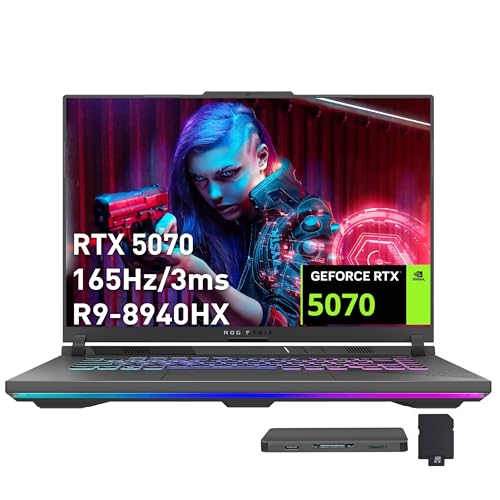
ASUS ROG Strix G16 RTX 5070 Laptop
Best for: gamers needing massive storage and memory
- Screen Size
- 16"
- Processor
- AMD Ryzen 9 8940HX
- RAM Capacity
- 64GB
- Storage Capacity
- 4TB SSD
- Graphics Card
- NVIDIA GeForce RTX 5070 8GB GDDR7
- Display Resolution
- FHD+
This 16-inch gaming laptop pairs an AMD Ryzen 9 8940HX processor with an NVIDIA GeForce RTX 5070 graphics card. It includes 64GB of DDR5 RAM and a 4TB PCIe SSD, alongside a 165Hz FHD+ screen. You get substantial local storage and system memory for demanding software, making it suitable if you need heavy multitasking and fast refresh rates for gaming.
- AMD Ryzen 9 8940HX processor and RTX 5070 8GB GDDR7 graphics
- 64GB DDR5 RAM and 4TB PCIe SSD capacity
- 16-inch FHD+ panel with a 165Hz refresh rate
- Two USB 4 Type-C ports, HDMI 2.1, and RJ45 ethernet
- FHD+ screen provides lower resolution than 2.5K or 3K panels
- Chassis weight of 5.51 pounds reduces portability
- Upgraded RAM and SSD carry a third-party warranty rather than ASUS coverage
- You need 4TB of solid-state storage and 64GB of memory preinstalled.
- You want an RTX 5070 GPU paired with a 165Hz display for fast-paced titles.
- You connect multiple peripherals via USB 4, HDMI 2.1, and wired ethernet.
- You prefer a higher-resolution 2.5K or 3K OLED panel for sharper visuals.
- You need a lightweight laptop for frequent travel.
Verdict: ASUS ROG Strix G16 RTX 5070 Gaming Laptop delivers exceptional storage and memory capacity alongside high-refresh gaming hardware. It fits players and power users who require 64GB of RAM and 4TB of SSD space for large local libraries.

ASUS ROG Strix G16 16-inch Gaming Laptop
Best for: high-refresh Full HD competitive PC gaming
- Screen Size
- 16"
- Processor
- Intel Core i7 Processor 14650HX
- RAM Capacity
- 16GB
- Storage Capacity
- 1TB Gen 4 SSD
- Graphics Card
- NVIDIA GeForce RTX 5060
- Refresh Rate
- 165Hz
This 16-inch gaming laptop pairs an Intel Core i7 14650HX processor with an NVIDIA GeForce RTX 5060 graphics chip. You get a 165Hz FHD+ display with a 16:10 aspect ratio, 16GB of DDR5 memory, and a 1TB PCIe Gen 4 SSD. It suits you if you prioritize fast competitive frame rates and modern cooling hardware for extended gaming sessions.
- Intel Core i7 14650HX processor and NVIDIA GeForce RTX 5060 GPU
- 165Hz FHD+ display with a 3ms response time
- Tri-fan cooling with vapor chamber and liquid metal thermal compound
- 1TB PCIe Gen 4 solid-state storage
- Full HD resolution rather than higher 2.5K or 3K panels
- Heavier chassis at 5.84 pounds
- System memory configured at 16GB
- You want high refresh rates for competitive gaming at 165Hz.
- You need extensive cooling hardware for heavy processing loads.
- You prefer a 16:10 screen for taller vertical workspace.
- You need a lightweight laptop for daily commuting under 5 pounds.
- You require a sharp 2.5K or 3K panel for ultra-detailed creative work.
Verdict: ASUS ROG Strix G16 RTX 5060 Gaming Laptop delivers dedicated GeForce RTX graphics and a 165Hz screen for gamers wanting sustained performance without thermal throttling. It suits players focused on high frame rates at Full HD resolution.

ASUS ROG Strix G16 RTX 5070 Gaming Laptop
Best for: High-framerate esports and desktop-bound gaming setups
- Screen Size
- 16"
- Processor
- AMD Ryzen 9 9955HX
- RAM Capacity
- 16GB
- Storage Capacity
- 1TB SSD
- Graphics Card
- NVIDIA GeForce RTX 5070
- Refresh Rate
- 165Hz
This 16-inch gaming laptop pairs an AMD Ryzen 9 9955HX processor with an NVIDIA GeForce RTX 5070 graphics card. You get a 165Hz Full HD display with a 3ms response time, 16GB of DDR5 memory, and a 1TB SSD. It suits you if you want high frame rates in fast-paced games and need dedicated hardware switching via Advanced Optimus.
- AMD Ryzen 9 9955HX processor and NVIDIA GeForce RTX 5070 GPU
- 165Hz display with fast 3ms response time
- Hardware MUX switch with Advanced Optimus support
- Tri-Fan cooling system with full-surround vents
- Full HD resolution rather than higher-density 2.5K or 3K panels
- Chassis weighs 5.51 pounds, making travel carry noticeably heavy
- You prioritize high frame rates on a 165Hz 3ms display over higher resolutions.
- You want an AMD Ryzen 9 processor and RTX 5070 graphics for modern games.
- You need automatic graphics switching without restarting your computer.
- You want a lightweight laptop under five pounds for frequent commuting.
- You require a sharper 2.5K, 3K, or OLED screen for detailed visual tasks.
Verdict: ASUS ROG Strix G16 RTX 5070 Laptop delivers strong processing power and fluid 165Hz visuals for players who keep their rig mostly at a desk.

ASUS Vivobook 16 Ryzen 5 Laptop
Best for: everyday productivity and home office tasks
- Screen Size
- 16"
- Processor
- AMD Ryzen 5 150
- RAM Capacity
- 8 GB
- Storage Capacity
- 512 GB SSD
- Display Resolution
- 1920 x 1200
- Operating System
- Windows 11 Home
This ASUS Vivobook 16 is a basic 16-inch everyday productivity laptop. You get an AMD Ryzen 5 150 processor paired with 8 GB of RAM and a 512 GB solid-state drive. Its 16:10 WUXGA screen delivers 1920 by 1200 resolution at 300 nits brightness. It suits you if you need a reliable machine for daily office documents, web browsing, and general home tasks.
- 16-inch 16:10 WUXGA display with 300 nits brightness
- Fast charging reaches 60% battery in 49 minutes
- 180° lay-flat hinge for screen sharing
- Tested to MIL-STD 810H durability standards
- 8 GB RAM limits intensive multitasking
- HDMI 1.4 port restricts external display refresh rates
- You need a standard 16-inch workspace for spreadsheets and daily browsing.
- You want fast battery charging and military-grade chassis durability.
- You require more than 8 GB of RAM for demanding professional workloads.
- You plan to run modern high-end games that require a dedicated graphics processor.
Verdict: ASUS Vivobook 16 Ryzen 5 Laptop suits students and home-office workers who need basic computing power and a tall 16:10 screen for everyday administrative work.

ASUS Vivobook 16 Snapdragon Laptop
Best for: everyday productivity and local AI processing
- Screen Size
- 16"
- Processor
- Qualcomm Snapdragon X 8 Core SE
- RAM Capacity
- 16GB
- Storage Capacity
- 512GB SSD
- Graphics Card
- Qualcomm Adreno
- Display Resolution
- 1920 x 1200
This 16-inch laptop runs on Qualcomm's 8-core Snapdragon X processor with an integrated Adreno GPU. You get 16GB of system memory, a 512GB PCIe 4.0 SSD, and a 16:10 WUXGA non-touch screen rated at 300 nits. At 3.88 pounds, it fits daily productivity, web work, and local AI tasks using its 45 TOPS Hexagon NPU.
- Qualcomm Hexagon NPU with up to 45 TOPS processing
- 16-inch 16:10 WUXGA (1920 x 1200) display at 300 nits
- 16GB RAM paired with 512GB PCIe 4.0 SSD
- Lightweight chassis weighing 3.88 pounds
- 60Hz refresh rate lacks high-frame-rate fluidity
- Integrated Qualcomm Adreno GPU lacks dedicated graphics memory
- Non-touch screen panel
- You need dedicated 45 TOPS NPU hardware for AI workloads.
- You want a tall 16:10 workspace for productivity and web tasks.
- You prefer a 16-inch laptop that weighs under 4 pounds.
- You need a display refresh rate higher than 60Hz.
- You require a dedicated graphics card for gaming or 3D rendering.
- You want touchscreen capability.
Verdict: ASUS Vivobook 16 Snapdragon X suits everyday productivity workers needing a large 16:10 workspace, built-in NPU acceleration, and 16GB of memory in a sub-4-pound chassis.

ASUS TUF Gaming F16 RTX 4050 Laptop
Best for: entry-level esports gaming with rugged construction
- Screen Size
- 16"
- Processor
- Intel Core 5 210H
- RAM Capacity
- 8GB
- Storage Capacity
- 512GB SSD
- Graphics Card
- NVIDIA GeForce RTX 4050
- Refresh Rate
- 144Hz
This 16-inch gaming laptop pairs an Intel Core 5 210H processor with an NVIDIA GeForce RTX 4050 graphics card. You get a 144Hz Full HD display featuring 100% sRGB color and Adaptive-Sync. With 8GB of memory and a 512GB solid-state drive, it suits you if you need a durable machine for standard esports titles and everyday tasks.
- NVIDIA GeForce RTX 4050 GPU with 115W maximum TGP and Advanced Optimus
- 16-inch 144Hz Full HD display with 100% sRGB coverage and Adaptive-Sync
- Tested to meet MIL-STD-810H military-grade durability standards
- Cooling system with Arc Flow Fans, 4 exhaust vents, and 5 heat pipes
- 8GB system memory is lower than higher-tier gaming models
- 512GB SSD storage capacity provides limited room for large game libraries
- Weight of 4.85 pounds adds bulk for daily mobile use
- You play standard esports titles that run well on an entry RTX 4050 GPU.
- You want a military-grade chassis tested to MIL-STD-810H durability standards.
- You prefer a 16:10 144Hz screen with full sRGB color accuracy.
- You need 16GB of RAM or higher for heavy multitasking out of the box.
- You require more than 512GB of onboard storage for large files.
- You prefer a lighter laptop than 4.85 pounds for constant travel.
Verdict: ASUS TUF Gaming F16 RTX 4050 Laptop fits players who want rugged MIL-STD-810H construction and dependable 1080p esports performance. Its 115W TGP GPU and 144Hz panel handle everyday play, provided you can work within 8GB of memory.

ASUS Vivobook 16 Ryzen AI 5 Laptop
Best for: everyday office work and AI-assisted productivity
- Screen Size
- 16"
- Processor
- AMD Ryzen AI 5 340
- RAM Capacity
- 16GB
- Storage Capacity
- 512GB SSD
- Graphics Card
- AMD Radeon Graphics
- Display Resolution
- 1920 x 1200
This 16-inch laptop features an AMD Ryzen AI 5 340 processor with a 50 TOPS neural processing unit and integrated Radeon graphics. You get a 16:10 WUXGA display running at 1920 x 1200 resolution and 300 nits brightness, alongside 16GB of RAM and a 512GB SSD. It suits everyday productivity, office tasks, and light creation needs.
- AMD Ryzen AI 5 340 processor with 50 TOPS NPU
- 16-inch 16:10 WUXGA (1920 x 1200) 300-nit panel
- FastCharge reaches 100% in 80 minutes
- Backlit keyboard includes a dedicated numeric keypad
- Standard 60Hz refresh rate rather than higher gaming refresh rates
- Integrated Radeon graphics instead of a discrete graphics card
- 512GB storage capacity fills quickly with large media libraries
- You want a 16-inch 16:10 screen with a numeric keypad for daily office tasks.
- You need dedicated NPU hardware for Copilot+ AI processing.
- You prefer a lightweight 3.88-pound chassis with fast battery charging.
- You require high-refresh gaming displays above 60Hz.
- You need discrete GPU power for intensive 3D rendering or AAA gaming.
Verdict: ASUS Vivobook 16 Ryzen AI 5 provides a dependable 16:10 workspace and hardware AI acceleration for spreadsheet workers and students who do not need dedicated gaming graphics.
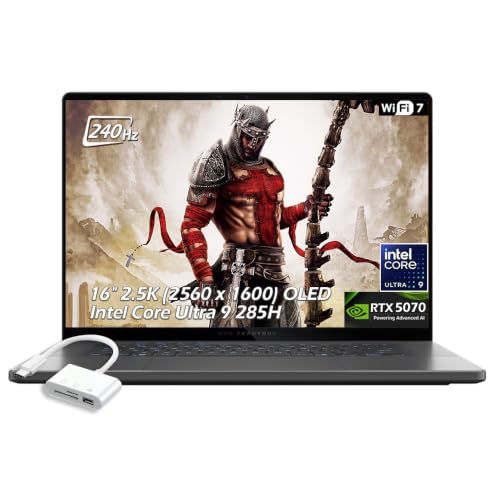
ASUS ROG Zephyrus 16 OLED RTX 5070 Laptop
Best for: gamers wanting portable, high-refresh OLED performance
- Screen Size
- 16"
- Processor
- Intel Core Ultra 9 285H
- RAM Capacity
- 16GB
- Storage Capacity
- 1TB SSD
- Graphics Card
- NVIDIA GeForce RTX 5070
- Display Resolution
- 2560 x 1600
This 16-inch gaming laptop pairs an Intel Core Ultra 9 285H processor with an NVIDIA GeForce RTX 5070 graphics card. You get a 2.5K OLED screen running at 240Hz with 500 nits brightness, alongside 16GB of LPDDR5X memory and a 1TB SSD. At 4.08 pounds and 0.59 inches thick, it suits you if you need portable visual speed.
- 2.5K OLED 240Hz panel with 500 nits brightness and G-SYNC support
- Intel Core Ultra 9 285H processor with 16 cores and up to 5.4 GHz turbo
- NVIDIA GeForce RTX 5070 GPU with 8GB GDDR7 VRAM and DLSS 4
- Thin 0.59-inch chassis weighing 4.08 pounds
- Wi-Fi 7, Thunderbolt 4, and USB-C 4 connectivity
- 16GB system memory capacity is lower than 32GB alternatives in this tier
- No built-in RJ-45 Ethernet port listed for wired networking
- You want a fast 240Hz OLED display for responsive competitive gaming.
- You need a portable 16-inch machine that measures 0.59 inches thick.
- You run modern workloads that utilize Wi-Fi 7 and Thunderbolt 4 connectivity.
- You need 32GB or more system RAM for memory-intensive professional workflows.
- You require a native Ethernet jack without using an external adapter.
Verdict: ASUS ROG Zephyrus 16 OLED RTX 5070 Laptop delivers a fast 240Hz OLED screen and current-generation processing hardware inside an ultra-thin 4.08-pound chassis. It fits mobile gamers and multimedia creators who prioritize high display clarity and low carry weight over higher memory capacity.

ASUS ROG Strix G16 165Hz RTX 5050 Gaming Laptop
Best for: High-refresh esports gaming with easy hardware upgrades
- Screen Size
- 16"
- Processor
- Intel Core i5 Processor 14450HX
- RAM Capacity
- 16GB
- Storage Capacity
- 512GB PCIe Gen 4 SSD
- Graphics Card
- NVIDIA GeForce RTX 5050 Laptop GPU
- Refresh Rate
- 165Hz
This 16-inch gaming laptop pairs an Intel Core i5-14450HX processor with an NVIDIA GeForce RTX 5050 graphics card. You get a 165Hz FHD+ display with Dolby Vision HDR, 16GB of DDR5 memory, and a 512GB solid-state drive. It suits you if you want high-refresh competitive gameplay, tool-free access for hardware upgrades, and dedicated thermal cooling without stepping up to higher tier processors.
- 165Hz refresh rate with 3ms response time and Dolby Vision HDR
- Tool-free sliding latch access for RAM, SSD, and fan upgrades
- MUX Switch with Advanced Optimus for direct GPU frame routing
- Vapor chamber cooling with tri-fan setup and liquid metal
- 512GB SSD offers limited storage for large game installs
- Chassis weighs 5.84 pounds, reducing overall portability
- Uses an Intel Core i5 processor rather than higher-tier Core i7 or i9 chips
- You want a 165Hz 16:10 display for fast-paced gaming.
- You plan to upgrade memory and storage yourself without using tools.
- You need automatic graphics switching via a MUX Switch and Advanced Optimus.
- You need more than 512GB of internal storage out of the box.
- You require a lightweight machine under five pounds for daily commuting.
Verdict: ASUS ROG Strix G16 RTX 5050 Gaming Laptop delivers smooth 165Hz frame rates and tool-free internal upgrades for gamers who prioritize esports display speeds over large built-in storage. Its robust tri-fan cooling system maintains stable performance during demanding play sessions.

ASUS V16 16-inch RTX 5060 Laptop
Best for: mid-tier gaming and high-memory multitasking
- Screen Size
- 16"
- Processor
- Intel Core 7 Processor 240H
- RAM Capacity
- 32GB
- Storage Capacity
- 1TB
- Graphics Card
- NVIDIA GeForce RTX 5060
- Display Resolution
- 1920 x 1200
The ASUS V16 is a 16-inch gaming laptop built with an Intel Core 7 240H processor and an NVIDIA GeForce RTX 5060 graphics chip with 8GB of GDDR7 memory. It features 32GB of RAM, a 1TB PCIe 4.0 SSD, and a 144Hz WUXGA display. This setup suits you if you need modern graphics and high memory capacity for gaming or multitasking.
- Intel Core 7 240H processor with 10 cores and 16 threads
- NVIDIA GeForce RTX 5060 GPU with 8GB GDDR7 memory
- 32GB RAM and 1TB PCIe 4.0 SSD storage
- 1080p FHD IR webcam with privacy shutter and Windows Hello
- Display brightness reaches 300 nits
- 144Hz refresh rate is lower than the 165Hz or 240Hz screens on ROG models
- You want an Intel Core 7 processor with 32GB of RAM for demanding applications.
- You need a dedicated RTX 5060 GPU for gaming and video editing workloads.
- You prefer a full keyboard with an integrated numeric keypad.
- You need a screen brighter than 300 nits for high-glare environments.
- You require display resolution above 1920 x 1200 or refresh rates beyond 144Hz.
Verdict: ASUS V16 16" Intel Core 7 RTX 5060 Laptop pairs a 10-core Intel Core 7 240H processor with 32GB of RAM and RTX 5060 graphics for solid gaming and multitasking. It is designed for gamers and editors who want substantial memory without needing an ultra-high-resolution screen.

ASUS ROG Strix SCAR 16 RTX 5090 Gaming Laptop
Best for: enthusiast gamers wanting flagship RTX 5090 graphics
- Screen Size
- 16"
- Processor
- Intel Core Ultra 9 275HX
- RAM Capacity
- 32GB
- Storage Capacity
- 2TB SSD
- Graphics Card
- NVIDIA GeForce RTX 5090
- Refresh Rate
- 240Hz
This 16-inch gaming laptop pairs an Intel Core Ultra 9 275HX processor with an NVIDIA GeForce RTX 5090 graphics card. You get a 2.5K Mini LED display running at 240Hz alongside 32GB of DDR5 memory and a 2TB solid-state drive. It suits you if you run demanding modern games and creative workloads that need desktop-grade hardware.
- NVIDIA GeForce RTX 5090 GPU paired with Intel Core Ultra 9 275HX
- 16-inch 2.5K Mini LED screen with 240Hz refresh rate and 2,000+ dimming zones
- Tool-free latch design for quick RAM, SSD, and fan access
- Fast storage setup with 2TB PCIe Gen 4 SSD and 32GB DDR5-5600MHz RAM
- Heavy chassis weighing 6.28 pounds
- Thick 0.9-inch profile adds bulk in travel bags
- You need top-tier graphics processing power from an RTX 5090 GPU.
- You want a fast 240Hz Mini LED panel with 100% DCI-P3 color coverage.
- You prefer tool-free hardware access for future RAM and drive upgrades.
- You need a lightweight laptop for frequent travel.
- You prefer an ultra-thin chassis rather than a 0.9-inch build.
Verdict: ASUS ROG Strix SCAR 16 RTX 5090 Gaming Laptop fits competitive gamers and power users who require flagship graphics alongside a high-refresh Mini LED screen.
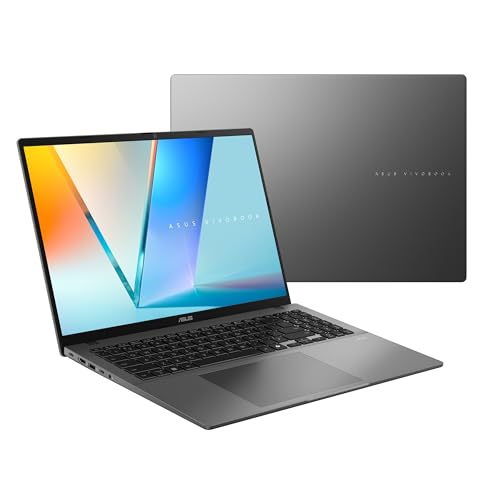
ASUS Vivobook S16 OLED Laptop
Best for: mobile productivity and memory-heavy tasks
- Screen Size
- 16"
- Processor
- AMD Ryzen AI 9 465
- RAM Capacity
- 32GB
- Storage Capacity
- 1TB SSD
- Graphics Card
- AMD Radeon Graphics
- Display Resolution
- 1920×1200
This 16-inch laptop pairs an AMD Ryzen AI 9 465 processor with 32GB of RAM and a 1TB SSD. You get an OLED 1920×1200 display with a 16:10 aspect ratio, powered by a 70Wh battery. At 0.7 inches thin and 3.59 pounds, it suits mobile professionals who need strong processing capability and extended battery life without dedicated graphics bulk.
- 16-inch 16:10 WUXGA OLED display
- AMD Ryzen AI 9 465 processor with 50 NPU TOPS
- 32GB RAM and 1TB SSD storage
- 70Wh battery with fast charging to 60% in 49 minutes
- Integrated AMD Radeon graphics instead of a discrete GPU
- Screen resolution capped at 1920×1200
- USB ports limited to USB 3.2 Gen 1 speeds
- You need 32GB of memory for demanding multitasking and local computing.
- You want a deep-contrast OLED panel with a productivity-friendly 16:10 layout.
- You travel frequently and want a 70Wh battery in a 3.59-pound chassis.
- You require a discrete graphics card for heavy gaming or 3D rendering.
- You want a display resolution sharper than 1920×1200 on a 16-inch screen.
Verdict: ASUS Vivobook S16 OLED Laptop delivers fast processor performance, generous memory, and all-day battery life for productivity-focused users who do not need discrete graphics hardware.

ASUS Vivobook S 16 Flip Touch Laptop
Best for: touchscreen productivity and everyday office tasks
- Screen Size
- 16"
- Processor
- Intel Core i5-13500H
- RAM Capacity
- 8GB
- Storage Capacity
- 512GB SSD
- Graphics Card
- Intel HD Graphics
- Display Resolution
- 1920 x 1200
This 16-inch laptop pairs a 1920 x 1200 touchscreen with an Intel Core i5-13500H processor and 512GB of solid-state storage. Its 16:10 display supports stylus input alongside integrated Intel HD Graphics and 8GB of DDR4 memory. You get versatile touch navigation and everyday computing power, making it suitable if you want a large workspace for document editing, web browsing, and media playback.
- 16-inch 1920 x 1200 touchscreen with 16:10 aspect ratio
- Intel Core i5-13500H processor with 12 cores and 16 threads
- Supports ASUS Pen 2.0 stylus with 4096 pressure levels
- USB 3.2 Gen 2 Type-C port supports display and power delivery
- 8GB DDR4 RAM restricts heavy multitasking headroom
- Intel HD Graphics lacks dedicated video memory
- 45% NTSC color gamut provides standard rather than wide color coverage
- You want a 16-inch touchscreen with stylus support for direct navigation.
- You need a 12-core Intel Core i5 processor for spreadsheets and general office tasks.
- You rely on USB-C power delivery and display output for desk peripherals.
- You need a dedicated graphics card for gaming or 3D rendering.
- You require more than 8GB of memory for running virtual machines or heavy datasets.
- You do color-critical photo or video production requiring wide color gamuts.
Verdict: ASUS Vivobook S 16 Flip Touch Laptop gives home and office users a responsive 16-inch touch display backed by a capable 12-core Intel Core i5 processor. It suits buyers seeking direct screen interaction and basic productivity without the weight or power draw of a discrete graphics card.

ASUS Vivobook 16 Touchscreen Laptop
Best for: business multitasking and mobile productivity
- Screen Size
- 16"
- Processor
- AMD Ryzen AI 9 465
- RAM Capacity
- 32GB
- Storage Capacity
- 1TB SSD
- Display Resolution
- 1920×1200
- Refresh Rate
- 120Hz
This 16-inch business laptop pairs an AMD Ryzen AI 9 465 processor with 32GB of DDR5 memory and a 1TB solid-state drive. You get a 120Hz WUXGA touchscreen running at 400 nits brightness, along with Windows 11 Pro and a 70WHrs battery. It suits you if you handle spreadsheets, multitasking, and office workflows on the go.
- AMD Ryzen AI 9 465 processor with 50 TOPS NPU
- 16-inch 120Hz touchscreen with 400 nits brightness
- 32GB DDR5 RAM and 1TB SSD storage
- Full HD IR camera with physical privacy shutter and Windows Hello
- WUXGA 1920×1200 screen resolution is lower than 2.5K or 3K options
- USB-C connections operate at USB 3.2 Gen 1 speeds rather than USB4
- You need 32GB of RAM and Windows 11 Pro for business applications.
- You want a responsive 120Hz touchscreen for documents and spreadsheets.
- You require built-in IR facial recognition and a camera privacy shutter.
- You need a dedicated graphics card for heavy 3D rendering or gaming.
- You prefer a sharper 2.5K or 3K display panel over 1200p resolution.
Verdict: ASUS Vivobook 16 Touchscreen Laptop equips professionals and students with 32GB RAM, an AI-capable AMD processor, and a smooth 120Hz touch panel for daily productivity. Its 3.75-pound build and Windows 11 Pro setup target mobile office work rather than high-end graphics.

ASUS ROG Zephyrus Duo 16 Dual-Screen RTX 5090
Best for: dual-screen multitasking with maximum graphics power
- Screen Size
- 16"
- Processor
- Intel Core Ultra 9 386H
- RAM Capacity
- 32GB
- Storage Capacity
- 1TB
- Graphics Card
- NVIDIA GeForce RTX 5090
- Display Resolution
- 3K
This gaming notebook provides two 16-inch 3K OLED touch displays along with a detachable magnetic keyboard. Powered by an Intel Core Ultra 9 386H processor and an NVIDIA GeForce RTX 5090 graphics card, it handles heavy computational loads. The setup suits you if you need expansive dual-screen workspace alongside 32GB of fast LPDDR5X memory.
- Dual 16-inch 3K OLED touchscreens
- NVIDIA GeForce RTX 5090 laptop GPU
- Intel Core Ultra 9 386H 16-core processor
- Detachable magnetic keyboard with kickstand
- Heavier build at 6.22 pounds
- Display refresh rate tops out at 120Hz
- Chassis thickness measures 0.98 inches
- You need two separate 16-inch screens to organize tools, chats, and active windows.
- You run heavy workloads requiring an RTX 5090 GPU and 32GB of RAM.
- You want versatile form factors supported by a detachable keyboard and kickstand.
- You want a lightweight laptop that stays well under six pounds.
- You require display refresh rates beyond 120Hz for competitive gaming.
Verdict: ASUS ROG Zephyrus Duo 16 Dual Touchscreen Laptop fits power users and creators who require dual OLED touchscreens paired with top-tier RTX 5090 computing.
Specifications side by side
| Spec | ASUS ROG Strix G16 RTX 5070 Laptop | ASUS ROG Strix G16 16-inch Gaming Laptop | ASUS ROG Strix G16 RTX 5070 Gaming Laptop | ASUS Vivobook 16 Ryzen 5 Laptop | ASUS Vivobook 16 Snapdragon Laptop | ASUS TUF Gaming F16 RTX 4050 Laptop | ASUS Vivobook 16 Ryzen AI 5 Laptop | ASUS ROG Zephyrus 16 OLED RTX 5070 Laptop | ASUS ROG Strix G16 165Hz RTX 5050 Gaming Laptop | ASUS V16 16-inch RTX 5060 Laptop | ASUS ROG Strix SCAR 16 RTX 5090 Gaming Laptop | ASUS Vivobook S16 OLED Laptop | ASUS Vivobook S 16 Flip Touch Laptop | ASUS Vivobook 16 Touchscreen Laptop | ASUS ROG Zephyrus Duo 16 Dual-Screen RTX 5090 |
|---|---|---|---|---|---|---|---|---|---|---|---|---|---|---|---|
| Processor | AMD Ryzen 9 8940HX | Intel Core i7 Processor 14650HX | AMD Ryzen 9 9955HX | AMD Ryzen 5 150 | Qualcomm Snapdragon X 8 Core SE | Intel Core 5 210H | AMD Ryzen AI 5 340 | Intel Core Ultra 9 285H | Intel Core i5 Processor 14450HX | Intel Core 7 Processor 240H | Intel Core Ultra 9 275HX | AMD Ryzen AI 9 465 | Intel Core i5-13500H | AMD Ryzen AI 9 465 | Intel Core Ultra 9 386H |
| RAM Capacity | 64GB | 16GB | 16GB | 8 GB | 16GB | 8GB | 16GB | 16GB | 16GB | 32GB | 32GB | 32GB | 8GB | 32GB | 32GB |
| Storage Capacity | 4TB SSD | 1TB Gen 4 SSD | 1TB SSD | 512 GB SSD | 512GB SSD | 512GB SSD | 512GB SSD | 1TB SSD | 512GB PCIe Gen 4 SSD | 1TB | 2TB SSD | 1TB SSD | 512GB SSD | 1TB SSD | 1TB |
| Screen Size | 16" | 16" | 16" | 16” | 16-inch | 16" | 16-inch | 16" | 16" | 16-inch | 16" | 16" | 16-inch | 16-inch | 16" |
| Graphics Card | NVIDIA GeForce RTX 5070 8GB GDDR7 | NVIDIA GeForce RTX 5060 | NVIDIA GeForce RTX 5070 | – | Qualcomm Adreno | NVIDIA GeForce RTX 4050 | AMD Radeon Graphics | NVIDIA GeForce RTX 5070 | NVIDIA GeForce RTX 5050 Laptop GPU | NVIDIA GeForce RTX 5060 | NVIDIA GeForce RTX 5090 | AMD Radeon Graphics | Intel HD Graphics | – | NVIDIA GeForce RTX 5090 |
| Display Resolution | FHD+ | – | – | 1920 x 1200 | 1920 x 1200 | – | 1920 x 1200 | 2560 x 1600 | – | 1920 x 1200 | – | 1920×1200 | 1920 x 1200 | 1920×1200 | 3K |
| Refresh Rate | 165Hz | 165Hz | 165Hz | – | 60Hz | 144Hz | 60Hz | 240Hz | 165Hz | 144Hz | 240Hz | – | – | 120Hz | 120Hz |
| Operating System | – | Windows 11 Home | Windows 11 Home | Windows 11 Home | – | Windows 11 Home | – | – | Windows 11 Home | – | Windows 11 Pro | Windows 11 Home | Windows 11 Home | Windows 11 Pro | – |
| Intended Use | Gaming | Home, Gaming | Home, Gaming | Home | – | Home, Gaming | – | Gaming | Home, Gaming | Gaming | Gaming | Home | Home | Business, Students | Gaming |
| Resolution | Full HD | Full HD | Full HD | WUXGA | WUXGA | Full HD | WUXGA | – | Full HD | WUXGA | – | WUXGA | WUXGA | – | – |
| Dimensions | 19 × 13.5 × 4.5 inches | 13.9 × 0.9 × 10.6 inches | 13.9 × 10.6 × 0.9 inches | 14.1 × 0.78 × 9.82 inches | 2.5 × 12 × 19 inches | 13.9 × 0.88 × 9.88 inches | 14.1 × 0.7 × 9.87 inches | 0.59 × 14 × 9.72 inches | 13.9 × 1.21 × 1.55 inches | 14.1 × 9.87 × 0.87 inches | 13.9 × 0.9 × 10.6 inches | 14.1 × 0.7 × 9.87 inches | 14 × 0.77 × 9.94 inches | 14.1 × 9.87 × 0.7 inches | 14 × 0.98 × 9.72 inches |
| Weight | 10 pounds | 5.84 pounds | 5.51 pounds | 4.14 pounds | 3.88 pounds | 4.85 pounds | 3.88 pounds | 4.08 pounds | 5.84 pounds | 4.3 pounds | 6.28 pounds | 3.59 pounds | 4.19 pounds | 3.75 pounds | 6.22 pounds |
| Size | 64GB | 4TB SSD | – | – | – | 2.50 | – | – | – | – | 0.87" x 14.1" x 9.9" | 16" | – | R8|S512 | – | – |
| Color | Gray | Eclipse Gray | Black | Indie Black | Quiet Blue | Mecha Gray | Quiet Blue | Eclipse Gray | Eclipse Gray | Black | Black | Gray | Midnight Black | Silver | Stellar Grey |
| Model | ASUS ROG Strix | G615JMR-AS74 | G614FP-OS94 | M1605NAQ-ES51 | X1607QA-DS54 | FX607VU-ES51 | M1607KA-DS54 | – | G615JHR-DS53 | V3607VM-DS79 | G635LX-XS97 | M3607GA-ES99 | TP3604VA-DS51T | Vivobook S16 | GX651AX-DB96 |
How to Choose an ASUS 16 Laptop
Choose the Operating System
Check the operating system specification before selecting your laptop. Most general home and gaming machines run Windows 11 Home. This version handles standard software, web browsing, and regular PC gaming without extra setup. If you need enterprise domain tools, remote management, or specialized security protocols for business networks, choose a configuration with Windows 11 Pro. The ASUS ROG Strix SCAR 16 RTX 5090 Gaming Laptop includes Windows 11 Pro preinstalled.
Select Display Resolution Standard
Examine the display resolution standard listed in the laptop specifications. Many gaming laptops use standard Full HD displays, which balance sharpness with lower graphics rendering demands for faster frame delivery. Other models feature WUXGA panels. A WUXGA screen delivers a taller 16:10 aspect ratio with extra vertical pixels compared to standard Full HD. This taller format reduces scrolling when editing spreadsheets or documents. The ASUS Vivobook 16 Ryzen 5 Laptop uses a WUXGA display.
Compare Processor Architecture Types
Evaluate the processor platform to ensure full compatibility with your daily software. Standard x86 processors like Intel Core and AMD Ryzen support broad legacy desktop software, specialized development tools, and traditional PC games. Alternative platforms like Snapdragon X use ARM architecture designed for mobile efficiency and built-in NPU processing. Check your software requirements before buying an ARM configuration. The ASUS Vivobook 16 Snapdragon Laptop provides this specialized ARM-based architecture.
Check Display Refresh Rate
Review the panel refresh rate measured in Hertz to match your visual speed needs. Standard office tasks run smoothly at 120Hz, which reduces eye strain during long reading sessions. Competitive gaming requires faster visual updates to track quick in-game movement accurately. Look for 144Hz or 165Hz panels if you play fast esports titles where reaction times matter. The ASUS ROG Strix G16 16-inch Gaming Laptop features a 165Hz screen for fluid gameplay.
Evaluate Touchscreen Form Factors
Consider whether your daily workflow requires direct on-screen touch input or a flexible hinge design. Standard clamshell laptops use traditional non-touch panels, which keep the chassis rigid and prevent accidental screen inputs while typing. Convertible models provide 360-degree hinges and touch glass. This setup lets you flip the display back for direct finger navigation or presentations. The ASUS Vivobook S 16 Flip Touch Laptop features this convertible touch display.
Verify System Memory Size
Check the installed RAM specification to prevent multitasking bottlenecks under heavy daily workloads. Basic web browsing and word processing run comfortably on 8GB or 16GB of memory. If you run multiple demanding applications simultaneously, such as photo editors, complex datasets, or modern games, select a machine with 32GB of RAM. Ample memory prevents system slowdowns. The ASUS V16 16-inch RTX 5060 Laptop includes 32GB of RAM for intensive multitasking.
Frequently asked questions
Which ASUS 16-inch laptops feature a touchscreen?
Three models offer touch interaction. The ASUS Vivobook S 16 Flip Touch Laptop features a WUXGA touch display powered by an Intel Core i5 processor. You can also choose the ASUS Vivobook 16 Touchscreen Laptop with a 120Hz panel, or the ROG Zephyrus Duo 16 with dual touchscreens.
What screen resolutions can you find on ASUS 16-inch laptops?
You will primarily find Full HD and WUXGA options across the lineup. Gaming machines like the ROG Strix G16 and TUF Gaming F16 utilize Full HD panels. Everyday models such as the Vivobook 16 Ryzen 5, Vivobook S16 OLED, and the ASUS V16 use WUXGA screens.
What refresh rates do ASUS 16-inch gaming laptops support?
Refresh rates range from 144Hz up to 240Hz depending on the machine. The ASUS TUF Gaming F16 runs at 144Hz. Several ROG Strix G16 models feature 165Hz panels, while the ROG Zephyrus 16 OLED delivers the highest speed on this list at 240Hz for fast-paced competitive gameplay.
Which ASUS 16-inch laptop has military-grade durability?
The ASUS TUF Gaming F16 RTX 4050 Laptop is built to MIL-STD-810H standards. This rugged build resists daily wear, drops, and environmental stress. It pairs that durability with an RTX 4050 GPU running at 115W TGP and a 144Hz Full HD screen for stable entry-level esports performance.
Which ASUS 16-inch laptops include Windows 11 Pro?
The ASUS ROG Strix SCAR 16 and the ASUS Vivobook 16 Touchscreen Laptop include Windows 11 Pro out of the box. Windows 11 Pro provides extra management tools for professional environments. Most other models on this list, such as the standard Vivobook 16 and ROG Strix G16, run Windows 11 Home.
How does the ASUS ROG Zephyrus Duo 16 screen layout work?
The ASUS ROG Zephyrus Duo 16 incorporates dual OLED touchscreen panels into a single 6.22-pound frame. This setup allows you to view reference material, streaming controls, or chat windows on the secondary screen while gaming. It pairs this multi-display layout with flagship RTX 5090 graphics processing.
See also
See the current listing on Amazon
Specifications on this page are read from the product listing. Scores are out of 10, based on listed specifications and buyer feedback.