As Amazon Associates, we earn from qualifying purchases. This means we may receive a small commission at no extra cost to you if you click through and make a purchase.

As an Amazon Associate we earn from qualifying purchases. Links on this page are affiliate links.
You can evaluate several apple macbook air 13 3 inch m1 alternatives when planning your next laptop purchase. The Apple MacBook Air 13.3-Inch M1 balances an 8-core CPU, 16GB of unified memory, and a 2560 by 1600 Retina IPS display inside a 2.8-pound chassis. It runs macOS efficiently with two Thunderbolt 3 ports and a slim 0.63-inch profile. However, you might require hardware options this configuration lacks. You may need a 2-in-1 convertible touchscreen, Windows 11 Pro, or expanded memory such as 32GB of RAM. You might also need 512GB of internal storage or active cooling for sustained workloads.
The 6 alternatives on this list were chosen because their specifications directly overlap with the original model. Each system centers on a 13.3-inch screen size and a lightweight form factor. Comparing these components helps you pinpoint the right balance of operating system, memory capacity, and physical versatility for your setup.
How the Alternatives Compare
Apple MacBook Air 13.3" M1 16GB RAM
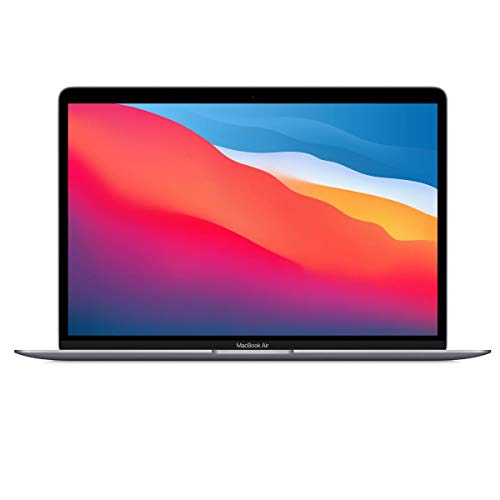
This Apple MacBook Air configuration matches the original model with an Apple M1 chip and 16GB of unified memory. You get 512GB of solid-state storage, which doubles the 256GB capacity of the baseline laptop. That extra room lets you keep more local files without external drives. In exchange, the listed weight increases to 3.75 pounds compared to 2.8 pounds on the original machine. Dimensions also shift slightly to 12.8 inches long by 9 inches wide. You should pick this model if you need more internal drive space for your files.
Apple MacBook Pro 13.3-Inch M1
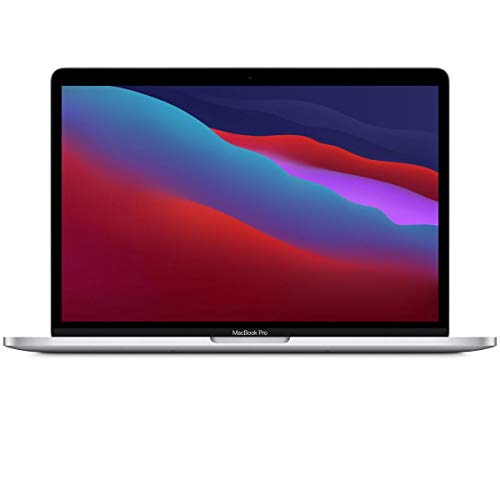
The Apple MacBook Pro 13.3-Inch M1 provides 512GB of storage, offering twice the capacity of the MacBook Air 256GB drive. You trade away system memory, dropping from 16GB of RAM to 8GB. The Pro chassis measures 10 inches by 10 inches and weighs 5 pounds, which is noticeably heavier than the 2.8-pound MacBook Air. You keep the 13.3-inch screen size and the Apple M1 processor architecture. Pick this option if your priority is larger built-in storage and sustained performance capabilities, rather than the lighter weight and higher memory limit of the MacBook Air.
Apple MacBook Air 13.3" M1
This Apple MacBook Air configuration shares the same physical design, 13.3-inch display size, and 256GB storage drive as the original model. At 2.7 pounds, it is slightly lighter than the 2.8-pound comparison unit. The main difference lies in system memory. You get 8GB of RAM instead of 16GB, which gives you less room for intensive background processes and heavy multitasking. Both run macOS and use the Apple M1 processor inside a Space Gray shell. You should pick this laptop if you handle standard productivity tasks and do not need the extra memory allocation.
Lenovo ThinkPad X13 Yoga 13.3" 2-in-1
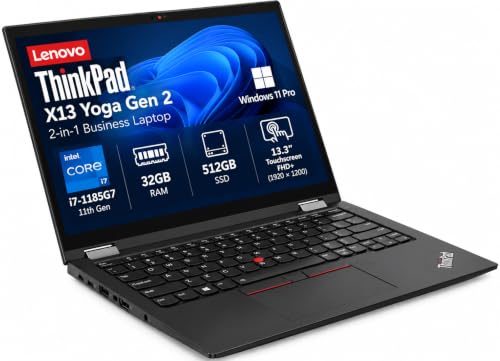
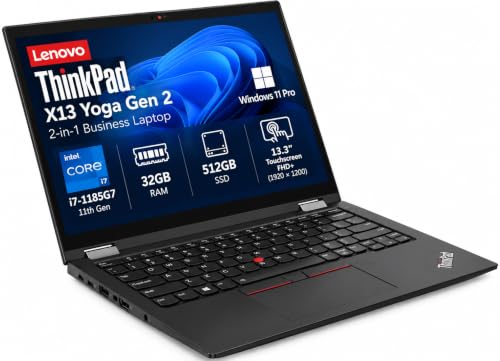
The Lenovo ThinkPad X13 Yoga Gen 2 moves away from macOS to Windows 11 Pro. It doubles the original memory to 32GB of RAM and doubles internal capacity with a 512GB SSD. Its 2-in-1 form factor lets you convert the device into a tablet, unlike the fixed clamshell build of the MacBook Air. You give up the Apple M1 processor in favor of an Intel Core i7 chip. At 3 pounds, it is slightly heavier than the 2.8-pound MacBook Air. Pick this model if you need Windows enterprise support, tablet versatility, and increased memory.
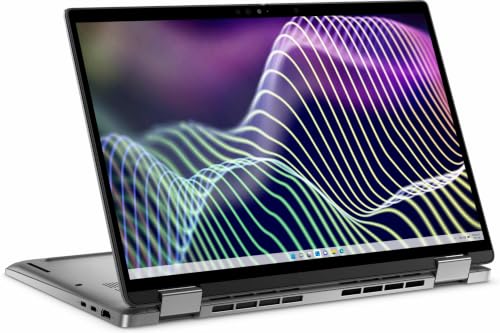
Dell Latitude 13.3-Inch QHD+ 2-in-1 Laptop
Dell Latitude 7340 delivers 32GB of RAM and a 512GB SSD, giving you double the memory and storage of the original MacBook Air. It matches the original 2560 by 1600 screen resolution on a 13.3-inch display while introducing a 2-in-1 convertible body. You trade macOS and the Apple M1 processor for a 13th Gen Intel Core i7. At 3 pounds, the Dell is slightly heavier than the 2.8-pound MacBook Air. You should choose this system if you want high-resolution visuals alongside convertible functionality, Intel processing, and double the internal storage and RAM.
Dell Latitude 13.3" 2-in-1 Touch Laptop
The Dell Latitude 5340 2-in-1 offers 32GB of RAM, twice what the MacBook Air provides. It replaces macOS with Windows 11 Pro and swaps the M1 chip for an Intel Core i7 processor. This model also provides a 2-in-1 touchscreen body. In exchange, the display uses a Full HD resolution, which steps down from the sharper 2560 by 1600 Retina display on the Apple laptop. At 3 pounds, it adds slightly more weight than the 2.8-pound MacBook Air. Select this convertible if you want Windows touch interaction and higher system memory over screen sharpness.
| # | Product | Best for | Price |
|---|---|---|---|
| 1 | Apple MacBook Air 13.3-Inch M1 16GB Best overall | macOS multitasking in a lightweight footprint | |
| 2 | Apple MacBook Air 13.3" M1 16GB RAM Best premium | multitaskers needing 16GB RAM and 512GB storage | |
| 3 | Apple MacBook Pro 13.3-Inch M1 Also great | sustained workloads requiring active cooling | |
| 4 | Apple MacBook Air 13.3" M1 Best budget | entry-level M1 performance on standard workflows | |
| 5 | Lenovo ThinkPad X13 Yoga 13.3" 2-in-1 Best business | business users needing 32GB RAM and 2-in-1 versatility | |
| 6 | Dell Latitude 13.3-Inch QHD+ 2-in-1 Laptop Best qhd+ | high-resolution multitasking and convertible productivity | |
| 7 | Dell Latitude 13.3" 2-in-1 Touch Laptop Best full hd | multitasking professionals needing Windows touchscreen versatility |

Apple MacBook Air 13.3-Inch M1 16GB
Best for: macOS multitasking in a lightweight footprint
- Processor
- Apple M1
- RAM Capacity
- 16GB
- Storage Capacity
- 256GB SSD
- Screen Size
- 13.3"
- Graphics Card
- 7-Core GPU
- Display Resolution
- 2560 x 1600
This renewed Apple MacBook Air features the 8-core Apple M1 chip paired with 16GB of unified memory and a 256GB SSD. You view work on a 13.3-inch 2560 x 1600 Retina IPS screen powered by a 7-core GPU. Weighing 2.8 pounds, it fits your daily routine if you need macOS multitasking performance in a portable build.
- 16GB unified RAM handles heavy multitasking
- High-resolution 2560 x 1600 Retina IPS display
- Lightweight build at 2.8 pounds and 0.63 inches thick
- Two high-speed Thunderbolt 3 / USB 4 ports
- 256GB SSD offers limited local storage
- Only two physical Thunderbolt 3 ports
- Base 7-core GPU rather than an 8-core graphics configuration
- You want 16GB of unified memory for memory-intensive macOS applications
- You prioritize a sharp 2560 x 1600 Retina screen in a 2.8-pound device
- You require more than 256GB of onboard storage for large files
- You need 2-in-1 convertible touchscreen functionality
Verdict: Apple MacBook Air 13.3-Inch M1 16GB provides substantial unified memory and high screen resolution for users prioritizing macOS efficiency in an ultra-portable footprint.
Apple MacBook Air 13.3" M1 16GB RAM
Best for: multitaskers needing 16GB RAM and 512GB storage
- Processor
- Apple M1
- RAM Capacity
- 16GB
- Storage Capacity
- 512GB SSD
- Screen Size
- 13.3-inch
- Graphics Card
- Up to eight GPU cores
- Dimensions
- 12.8 × 0.63 × 9 inches
This renewed Apple MacBook Air features an 8-core M1 processor, 16GB of unified memory, and a 512GB SSD. Its 13.3-inch Retina display supports P3 wide color. The 16GB RAM allocation and expanded storage suit you if you handle heavier multitasking, larger local files, and sustained workloads that exceed base-tier memory capacity.
- 16GB unified memory handles demanding multitasking
- 512GB SSD provides ample internal storage
- 13.3-inch Retina display features P3 wide color
- 8-core CPU paired with a 16-core Neural Engine
- Product weight of 3.75 pounds is comparatively heavy
- No touchscreen or 2-in-1 convertible hinge
- You run memory-intensive software requiring 16GB RAM.
- You store large media libraries locally on a 512GB SSD.
- You work with color-critical media on a P3 Retina screen.
- You need touchscreen capability or a 360-degree hinge.
- You require a native Windows operating system.
Verdict: Apple MacBook Air 13.3-Inch M1 (16GB, 512GB) delivers double the standard memory and storage for sustained macOS workflows. It directly serves users who run demanding background tasks alongside large local project files.
Apple MacBook Pro 13.3-Inch M1
Best for: sustained workloads requiring active cooling
- Processor
- Apple M1
- RAM Capacity
- 8GB
- Storage Capacity
- 512GB SSD
- Screen Size
- 13.3-inch
- Graphics Card
- 8-core GPU
- Dimensions
- 12 × 10 × 10 inches
This renewed Apple MacBook Pro 13.3-inch pairs the 8-core Apple M1 chip with an active cooling system for sustained workloads. It features a 500-nit Retina display, 8GB of unified memory, and a 512GB SSD. You get up to 20 hours of battery life, making it suitable if you need consistent processing power and longer runtimes.
- Up to 20 hours of battery life
- Active cooling system sustains performance under load
- 13.3-inch Retina display delivers 500 nits of brightness
- 8-core GPU and 16-core Neural Engine
- Unified memory is limited to 8GB
- Product comes as a renewed unit
- You need active cooling to sustain performance during continuous workloads.
- You want up to 20 hours of battery runtime away from a charger.
- You require a bright 500-nit Retina display for detailed viewing.
- You need 16GB of memory for demanding multitasking.
- You prefer a brand-new laptop rather than a renewed model.
Verdict: Apple MacBook Pro 13.3-Inch M1 fits users who need sustained M1 processing power, 500 nits of screen brightness, and long battery life.

Apple MacBook Air 13.3" M1
Best for: entry-level M1 performance on standard workflows
- Processor
- Apple M1 Chip
- RAM Capacity
- 8GB
- Storage Capacity
- 256GB SSD
- Screen Size
- 13.3-inch
- Dimensions
- 8.36 × 12 × 0.63 inches
- Weight
- 2.7 pounds
This configuration gives you the baseline Apple M1 processor paired with 8GB of LPDDR4X memory and a 256GB SSD. It features the 13.3-inch display, a backlit Magic Keyboard, Touch ID, and two Thunderbolt 3 ports inside a 2.7-pound frame. You get M1 processing capabilities for standard multitasking, document editing, and web work without extra hardware bulk.
- Weighs 2.7 pounds with a 0.63-inch profile
- Two Thunderbolt 3 ports for high-speed connections
- Backlit Magic Keyboard with integrated Touch ID
- Apple M1 chip paired with 8GB 3733MHz LPDDR4X memory
- Base 256GB SSD provides less local space than 512GB alternatives
- 8GB RAM limits headroom for heavy memory-intensive workflows
- Physical connectivity is limited to two Thunderbolt 3 ports
- You need a lightweight 2.7-pound laptop for portable everyday tasks.
- You manage files primarily in cloud storage or fit within 256GB locally.
- You want M1 efficiency without needing a 16GB memory configuration.
- You require 16GB of RAM for sustained multitasking or large datasets.
- You need more than 256GB of onboard drive space for offline media.
- You rely on native USB-A or HDMI ports without using dongles.
Verdict: Apple MacBook Air 13.3-Inch M1 8GB 256GB suits general users who need reliable M1 computing in a 2.7-pound build and do not require 16GB of memory or large local storage.
Lenovo ThinkPad X13 Yoga 13.3" 2-in-1
Best for: business users needing 32GB RAM and 2-in-1 versatility
- Processor
- Intel Core i7-1185G7
- RAM Capacity
- 32GB
- Storage Capacity
- 512GB PCIe NVMe M.2 SSD
- Screen Size
- 13.3"
- Graphics Card
- Intel Iris Xe Graphics
- Display Resolution
- 1920×1200
You get a 13.3-inch 2-in-1 laptop running Windows 11 Pro on an Intel Core i7-1185G7 with 32GB RAM. Its 1920×1200 touchscreen rotates 360 degrees. For daily work, you have two Thunderbolt 4 ports, two USB-A ports, HDMI, and a fingerprint reader. This setup fits enterprise professionals requiring extensive memory, direct peripheral connections, and tablet versatility in a three-pound body.
- 32GB LPDDR4X memory for intensive multitasking
- Versatile 360-degree hinge with 1920×1200 touchscreen
- Twin Thunderbolt 4, two USB-A, and HDMI ports
- Hardware security with integrated fingerprint reader
- 300-nit maximum display brightness
- Heavier 3-pound chassis
- You need 32GB of RAM for memory-heavy business applications.
- You want a 360-degree convertible touchscreen for presentations or note-taking.
- You require dedicated USB-A and HDMI ports alongside Thunderbolt 4.
- You need more than 300 nits of screen brightness for outdoor work.
- You prefer a laptop weighing under three pounds.
Verdict: Lenovo ThinkPad X13 Yoga 13.3-Inch 2-in-1 provides 32GB RAM and physical port versatility for enterprise users who want tablet functionality in a Windows laptop.
Dell Latitude 13.3-Inch QHD+ 2-in-1 Laptop
Best for: high-resolution multitasking and convertible productivity
- Processor
- 13th Gen Intel Core i7
- RAM Capacity
- 32 GB
- Storage Capacity
- 512 GB SSD
- Screen Size
- 13.3"
- Display Resolution
- 2560 × 1600
- Form Factor
- 2-in-1
This 2-in-1 convertible pairs a 13.3-inch QHD+ touchscreen with a 13th Gen Intel Core i7 processor and 32GB of RAM. The 2560 by 1600 IPS display gives you sharp visuals and flexible tablet positioning. It suits you if you need heavy multitasking memory and a sharp touch display in a three-pound portable chassis.
- Sharp 2560 by 1600 QHD+ IPS touchscreen
- Generous 32GB system memory for heavy multitasking
- 10-core 13th Gen Intel Core i7 processor
- Versatile 2-in-1 convertible form factor
- Weighs 3 pounds, which is heavier than basic ultraportables
- Internal storage capacity is limited to 512GB
- You want a high-resolution 2560 by 1600 touchscreen for work and media.
- You run memory-heavy workloads that benefit from 32GB of RAM.
- You require more than 512GB of internal storage out of the box.
- You prefer the lightest sub-three-pound clamshell design.
Verdict: Dell Latitude 13.3-Inch QHD+ 2-in-1 delivers strong multitasking capability with 32GB of RAM and a crisp 2560 by 1600 display for productivity users who want tablet flexibility.

Dell Latitude 13.3" 2-in-1 Touch Laptop
Best for: multitasking professionals needing Windows touchscreen versatility
- Processor
- Intel Core i7-1365U
- RAM Capacity
- 32GB
- Storage Capacity
- 512GB SSD
- Screen Size
- 13.3"
- Display Resolution
- 1920×1080
- Operating System
- Windows 11 Pro
This Dell Latitude convertible gives you a 13.3-inch Full HD 1920×1080 touchscreen paired with a 10-core Intel Core i7-1365U processor. It features 32GB of DDR4 system memory and a 512GB solid-state drive, running Windows 11 Pro. It suits you if you need a versatile 2-in-1 design with extensive memory capacity for heavy multitasking beyond macOS.
- 32GB DDR4 memory clocked at 3200MHz for extensive multitasking
- 10-core Intel Core i7-1365U processor boosting up to 5.2GHz
- 13.3-inch Full HD 1920×1080 touchscreen in a 2-in-1 form factor
- 512GB PCIe NVMe M.2 solid-state drive for fast data transfers
- 1920×1080 resolution provides lower pixel density than 2560×1600 displays
- Integrated graphics processor shares memory with system RAM
- You need 32GB of system RAM to run multiple demanding applications simultaneously.
- You want a convertible 2-in-1 touchscreen design running Windows 11 Pro.
- You require a display resolution higher than standard 1080p Full HD.
- You need dedicated graphics hardware with standalone video memory.
Verdict: Dell Latitude 13.3-inch 2-in-1 Touch Laptop delivers 32GB of memory and a 10-core Intel processor for users needing Windows 11 Pro in a flexible convertible format.
Specifications side by side
| Spec | Apple MacBook Air 13.3-Inch M1 16GB | Apple MacBook Air 13.3" M1 16GB RAM | Apple MacBook Pro 13.3-Inch M1 | Apple MacBook Air 13.3" M1 | Lenovo ThinkPad X13 Yoga 13.3" 2-in-1 | Dell Latitude 13.3-Inch QHD+ 2-in-1 Laptop | Dell Latitude 13.3" 2-in-1 Touch Laptop |
|---|---|---|---|---|---|---|---|
| Processor | Apple M1 | Apple M1 | Apple M1 | Apple M1 Chip | Intel Core i7-1185G7 | 13th Gen Intel Core i7 | Intel Core i7-1365U |
| RAM Capacity | 16GB | 16GB | 8GB | 8GB | 32GB | 32 GB | 32GB |
| Storage Capacity | 256GB SSD | 512GB SSD | 512GB SSD | 256GB SSD | 512GB PCIe NVMe M.2 SSD | 512 GB SSD | 512GB SSD |
| Screen Size | 13.3" | 13.3-inch | 13.3-inch | 13.3-inch | 13.3" | 13.3" | 13.3" |
| Graphics Card | 7-Core GPU | Up to eight GPU cores | 8-core GPU | – | Intel Iris Xe Graphics | – | – |
| Display Resolution | 2560 x 1600 | – | – | – | 1920×1200 | 2560 × 1600 | 1920×1080 |
| Operating System | – | – | – | – | Windows 11 Pro | – | Windows 11 Pro |
| Intended Use | – | – | – | – | Business | – | – |
| Form Factor | – | – | – | – | 2-in-1 | 2-in-1 | 2-in-1 |
| Resolution | – | – | – | – | – | QHD+ | Full HD |
| Dimensions | 12 × 8.36 × 0.63 inches | 12.8 × 0.63 × 9 inches | 12 × 10 × 10 inches | 8.36 × 12 × 0.63 inches | 12 × 8.42 × 0.61 inches | 11.8 × 0.6 × 8.39 inches | 12 × 0.66 × 8.17 inches |
| Weight | 2.8 pounds | 3.75 pounds | 5 pounds | 2.7 pounds | 3 pounds | 3 pounds | 3 pounds |
| Size | 256GB | 16GB RAM / 512GB SSD Storage | 8GB RAM | 512GB SSD | 256GB | 32GB RAM / 512GB SSD | Core i7 13th Gen | 32GB | 512GB | – |
| Color | Space Gray | Space Gray | Silver | Space Gray | Black | Gray | Black |
| Model | MGN63LL/A16 | MGN63LL/A | MYD83LL/A | MGN73LL/A | ThinkPad X13 Yoga Gen 2 | Latitude 7340 | Latitude 5340 2-in-1 |
Frequently asked questions
What Windows alternatives offer a 2-in-1 touchscreen design?
You can consider models like the Lenovo ThinkPad X13 Yoga Gen 2 and Dell Latitude 7340. Both machines feature 13.3-inch displays with convertible hinges and run Windows 11 Pro on Intel Core i7 processors. Each option weighs 3 pounds and includes 32GB of RAM.
Which alternative provides more memory than the standard MacBook Air?
Several Windows alternatives provide 32GB of RAM, doubling the 16GB found on higher-spec MacBook Air models. The Lenovo ThinkPad X13 Yoga, Dell Latitude 7340, and Dell Latitude 5340 all feature 32GB of memory. This capacity supports heavy multitasking and enterprise workflows.
Is there an alternative with active cooling for heavy processing?
The Apple MacBook Pro 13.3-Inch M1 includes active cooling for sustained workloads. Unlike the fanless MacBook Air, the Pro maintains processor performance during extended tasks. It also features a 500-nit display, 8GB of RAM, and a 512GB solid-state drive in a 5-pound silver chassis.
What is the lightest option among these 6 alternatives?
The Apple MacBook Air 8GB 256GB model is the lightest option at 2.7 pounds. The 16GB 256GB MacBook Air weighs 2.8 pounds, while the Windows 2-in-1 convertibles from Dell and Lenovo weigh 3 pounds each. This makes the baseline Air ideal for maximum portability.
Which Windows laptop matches the high display resolution of macOS models?
The Dell Latitude 7340 2-in-1 matches that clarity with its 13.3-inch QHD+ screen at 2560 by 1600 resolution. It pairs that sharp display with an Intel Core i7 13th Gen processor and 32GB of RAM, offering a high-density panel on Windows.
Which alternative configurations come with 512GB of internal storage?
You can find 512GB of solid-state storage on the Apple MacBook Air 16GB, Apple MacBook Pro M1, Lenovo ThinkPad X13 Yoga, and Dell Latitude 7340. These configurations provide twice the local capacity of standard 256GB models for storing your applications and offline files.
See also
See the current listing on Amazon
Specifications on this page are read from the product listing. Scores are out of 10, based on listed specifications and buyer feedback.